Storybook
Two languages on one page: how to read picture books on Storybook
Storybook is a free library of openly licensed picture books. Pick two of five languages and read page by page, with furigana, pinyin and English read-aloud.
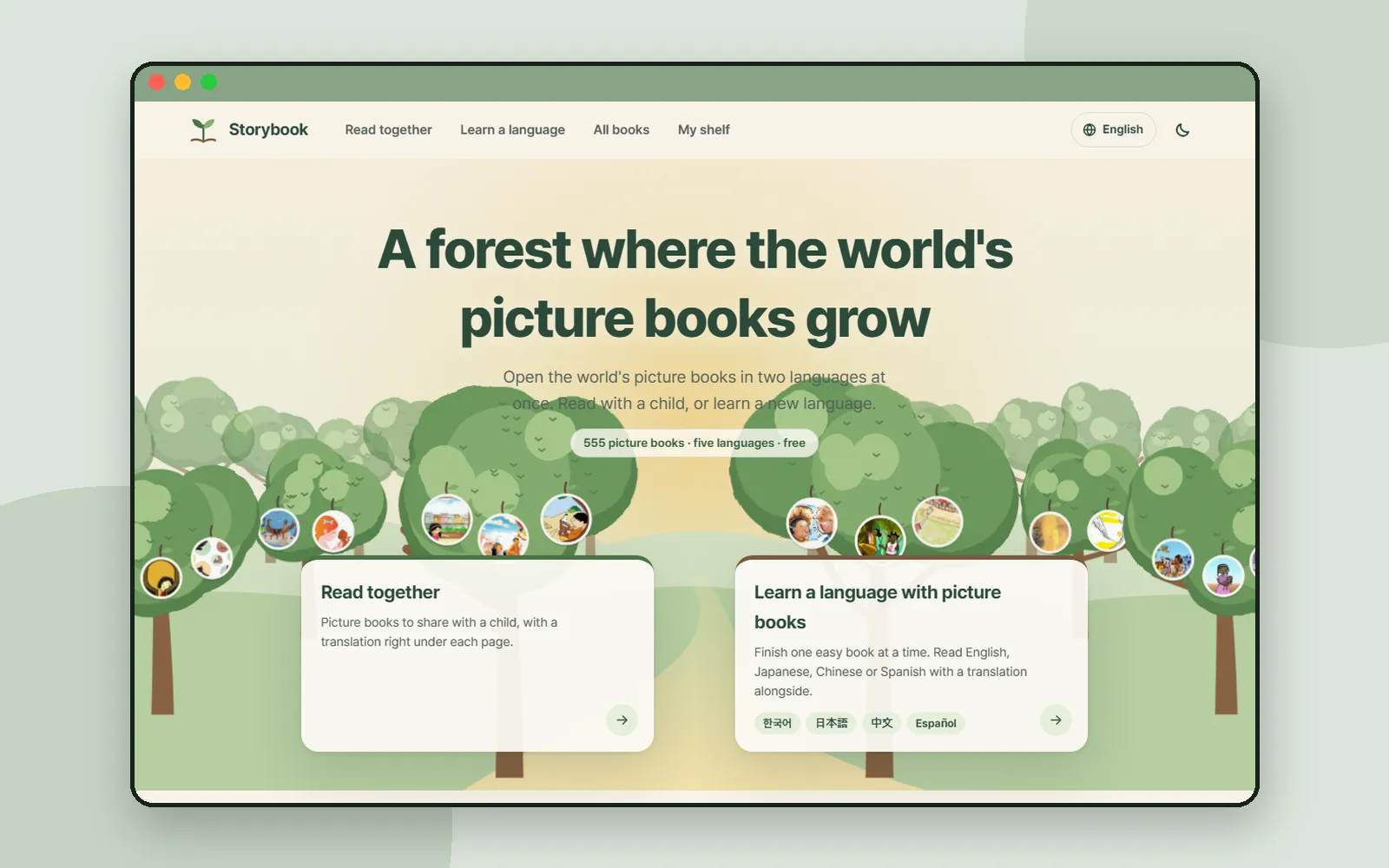
A picture book is often the easiest thing you can read in a new language: short sentences, one idea per page, and a picture that tells you what the words mean. Storybook builds a library on that idea. It gathers more than 500 openly licensed picture books, mostly from publishers in India and Africa, and gives each one in five languages: the English original plus Korean, Japanese, Chinese and Spanish translations. You pick any two, and every page shows them one above the other. It is free, with no accounts.
This post follows one short book, Rain, from the shelf to the last page.
ZZXXCCVV siteStorybookPicture books from around the world, read side by side in two languagesOpen1. Two ways in
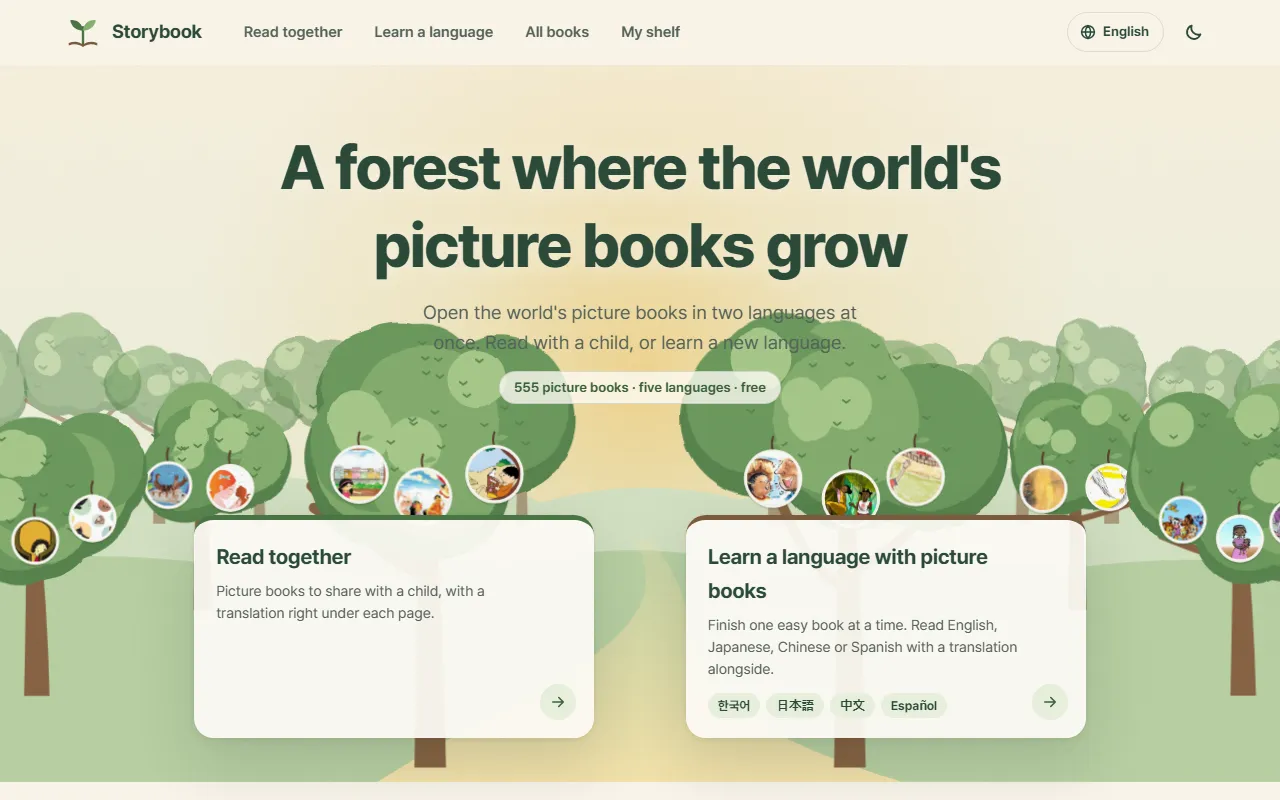
The front page offers two doors, which are also the first two items in the top menu.
- Read together is for sharing a book with someone, for example a parent reading with a child. The site's line for it is "a translation right under each page".
- Learn a language is for adults reading a new language through easy books. You pick the language you want to read, and the translation shows in English. The site suggests you "finish one book from the easiest forest".
Both lead to the same books. What changes is which language sits on top.
2. Find a book
Storybook sorts its books like a forest, from the edge inward.
- Forest levels. Books are grouped by length, "named after parts of a forest rather than ages": Sprout Forest has "a line or two per page", then Meadow, Grove and Tall Trees, and Deep Forest holds "the longest stories and non-fiction picture books".
- Topic trees. Twelve topics, from "Animals" and "Night & sleep" to "Villages & folktales".
- Today's picture books. A handful picked for the day. "Tomorrow, other books will open."
- Wordless picture books. Books that tell the story in pictures alone, so you "make up the words together as you go".
- All books lists everything, "shortest books first", and lets you narrow it down by forest or topic.
3. Choose your two languages
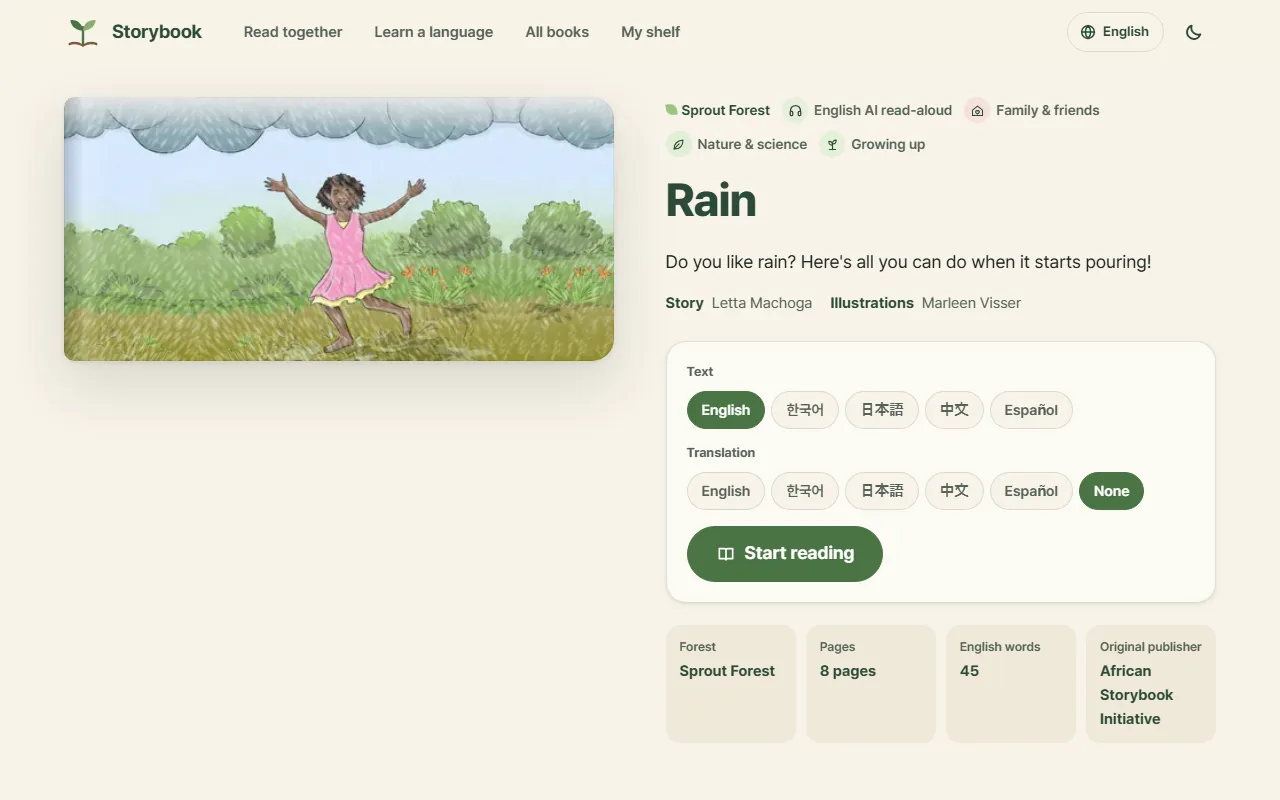
Each book has its own page, with the cover, a one-line summary and who made it.
Further down, First three pages previews the opening of the book in all five languages at once, and Available in says what kind of translation each language is: "Original", "Community translation · reviewed", "Community translation · revised by Storybook" or "Storybook translation · reviewed". The About page adds that every translation is checked by a person before it goes live, and that original translators are always credited.
4. Read side by side
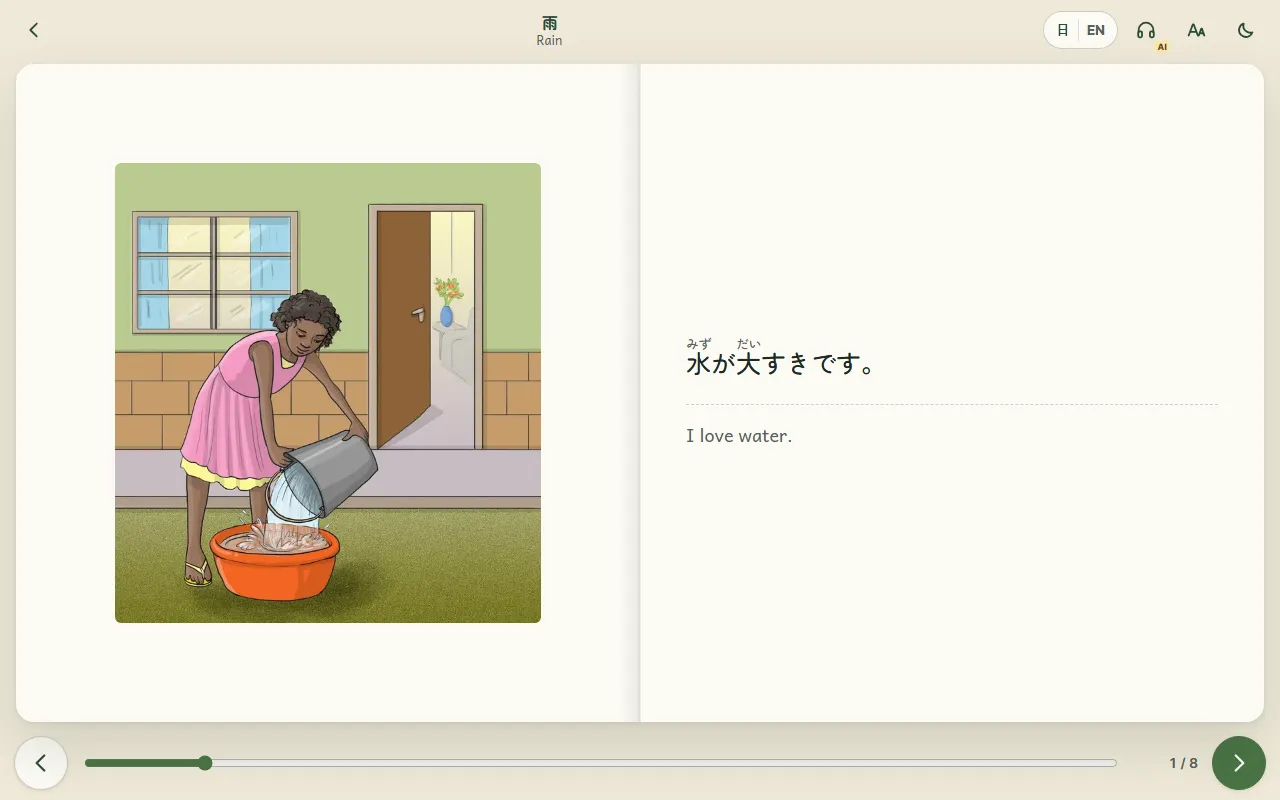
The reader opens the book like a spread: the picture on one side, the text on the other, and the translation under a dotted line. "Swipe or use the arrow keys to turn pages", and a bar along the bottom shows how far into the book you are.
Because I chose Japanese, small furigana sit above the kanji, so you can read 水 as みず without looking it up. Chinese text gets pinyin in the same way.
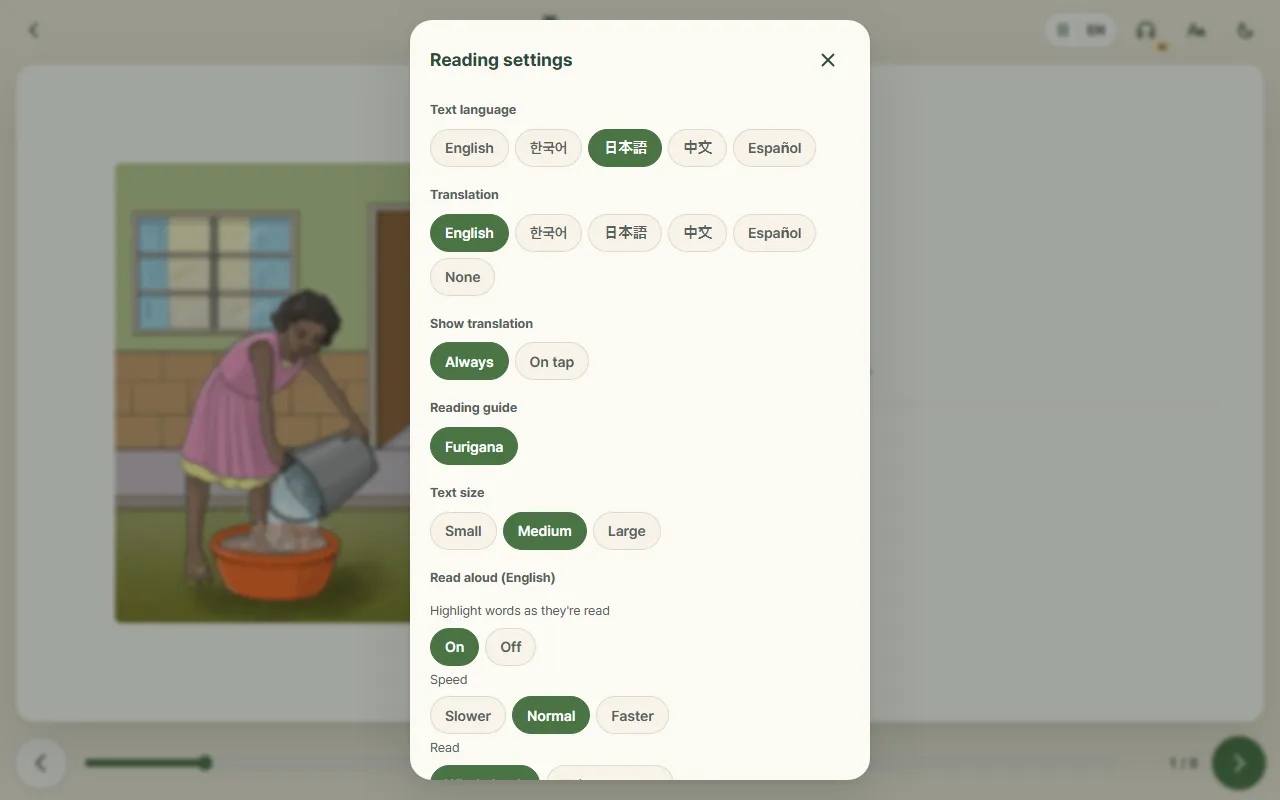
The language pair button at the top opens Reading settings:
- Text language and Translation switch the pair without leaving the page.
- Show translation: "Always", or "On tap" if you want to try a page before you look.
- Reading guide: turns furigana (Japanese) or pinyin (Chinese) on and off. It only appears when one of those languages is on the page.
- Text size: Small, Medium or Large.
- Read aloud (English): the headphones button reads the English text in an AI voice. You can "highlight words as they're read", choose Slower, Normal or Faster, and read the "Whole book" or "This page only". The site notes that some names may sound a little different.
5. A tree for every book
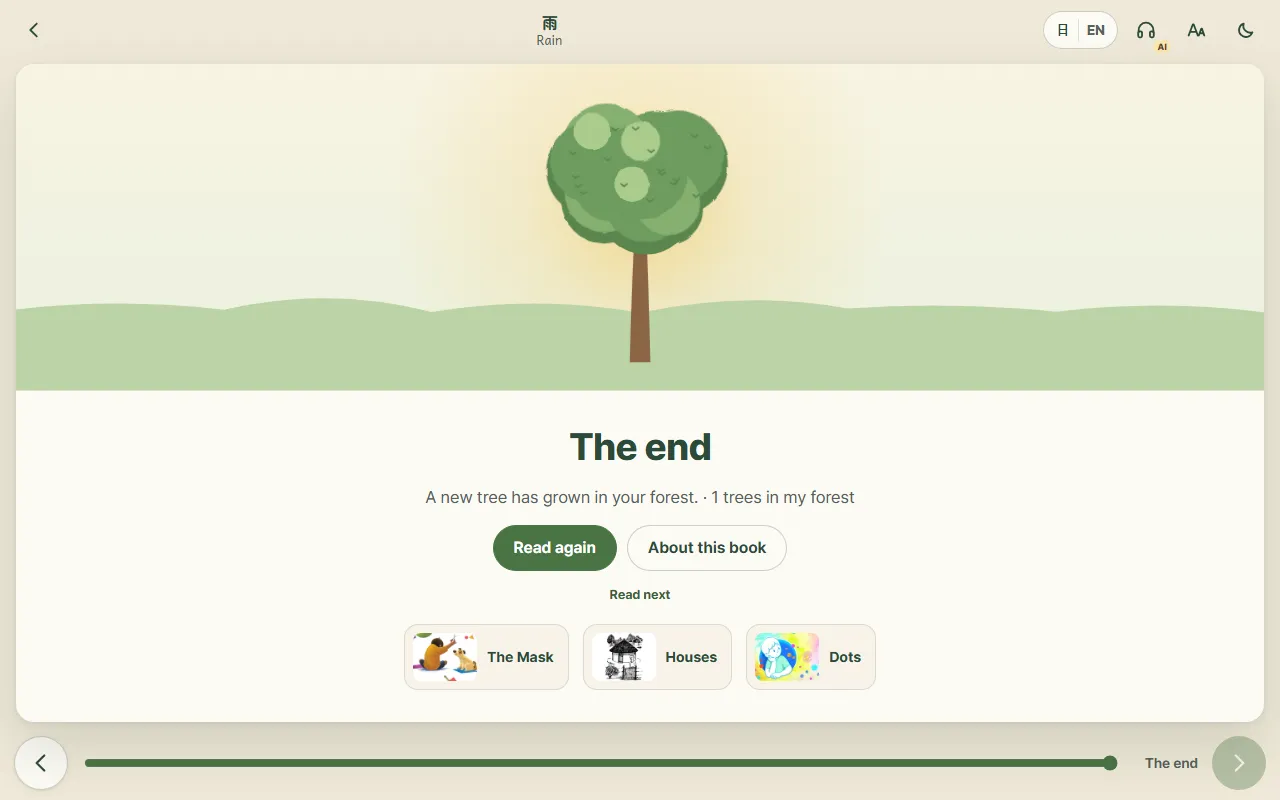
Turn past the last page and you reach The end: "A new tree has grown in your forest." From there you can read the book again, go back to its page, or pick one of the Read next books.
My shelf in the top menu keeps the books you are reading and the ones you have finished. It is "Saved on this device only. No sign-up needed."
6. Where the books come from
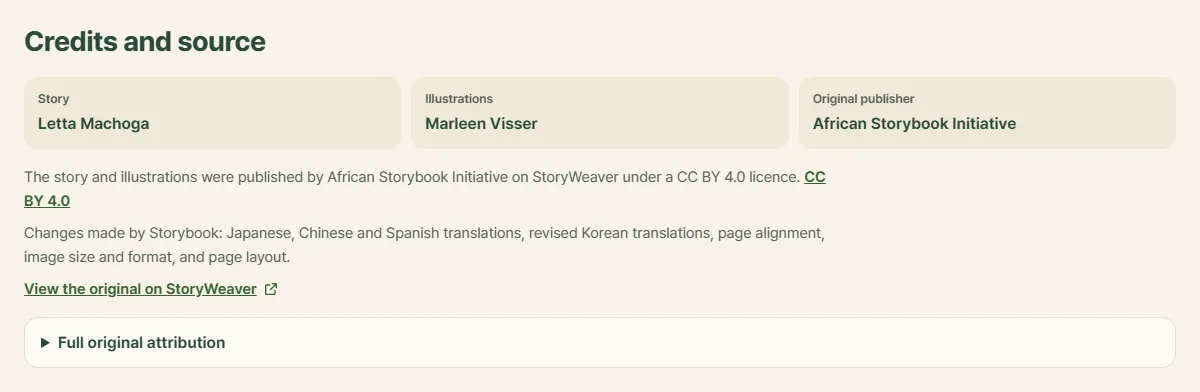
Storybook's "Sources & licences" page, linked in the footer, explains the library. The books come from StoryWeaver, a platform run by Pratham Books, where publishers such as Pratham Books, Room to Read, Book Dash and African Storybook Initiative released them under CC BY 4.0, a licence that allows reuse as long as the creators are credited and changes are marked.
Storybook does both on every book page. Credits and source names the author, illustrator and original publisher, lists what Storybook changed (translations, page alignment, image size and format, layout), links to the original on StoryWeaver and keeps the full original attribution. The site says the pictures themselves are never altered, and that books under non-commercial or no-derivatives terms are not used. It describes itself as an independent site, not affiliated with StoryWeaver or the publishers. If a credit looks wrong, "Report a problem" is in the footer.
If the Korean side of a book makes you want to hear real spoken Korean, Korean Out Loud sorts Korean videos by how hard they are to follow. See How to use Korean Out Loud.
And if the kanji or hanzi are what slow you down, Hanzi Move animates each character's stroke order. See the Hanzi Move guide.
Coming up
Next time: Wildex, a field guide to Korean insects in pen drawings and real sighting records.
Frequently asked questions
Is Storybook free? Do I need an account?
It is free, and there are no accounts. The site's About page says your reading history stays on your device, and My shelf is "Saved on this device only."
Which languages can I read in?
Every book with words has the English original plus Korean, Japanese, Chinese (Simplified) and Spanish translations. You pick any two, one as the text and one as the translation underneath. Japanese can show furigana and Chinese can show pinyin.
Where do the books come from, and who made them?
They are picture books that publishers such as Pratham Books, Room to Read, Book Dash and African Storybook released on StoryWeaver under a CC BY 4.0 licence. Each book page names the author, illustrator, original publisher and translators under "Credits and source", with a link to the original on StoryWeaver.
Who is Storybook for?
Anyone who enjoys picture books. The site has two ways in: "Read together", for sharing a book with someone, such as a parent reading with a child, and "Learn a language", for adults reading a new language through easy books. Books are grouped by length, not by age.
Can it read the books aloud?
Yes, in English. An AI voice reads the English text, and you can highlight words as they are read and change the speed. The other languages do not have read-aloud.