Korean Out Loud
Learn Korean from real YouTube videos: how to use Korean Out Loud
Korean Out Loud pairs Korean YouTube videos with subtitles written by people. How to pick a video, loop and slow down lines, and study expressions like -구요.
In Ppooing we looked at games you can play in your browser. This time we open a site for learning: Korean Out Loud.
Korean Out Loud is a place to learn Korean from real Korean YouTube videos, with subtitles written by people. There are more than 3,000 videos. Tap any line to hear it again, slow it down or loop it, and look up the expressions you keep hearing. It is free, with no sign-up. You can find the rest of the ZZXXCCVV sites in Meet ZZXXCCVV.
ZZXXCCVV siteKorean Out LoudLearn Korean through YouTube videosOpenWhy human-written subtitles matter
Automatic captions often miss the small parts of spoken Korean, such as particles and endings, and those are exactly what learners need to hear. The site says that nothing on it uses auto-generated captions, and it only includes channels that publish subtitles written by a person. Videos and subtitles belong to their channels and play through the YouTube player.
1. Pick a video
There are three ways to browse, all in the top menu:
- Levels: Beginner, Intermediate and Advanced. Videos are ranked by how fast people speak and by how much of the vocabulary goes beyond the beginner word lists. Beginner videos have slower speech, and most of their words are in the beginner grades.
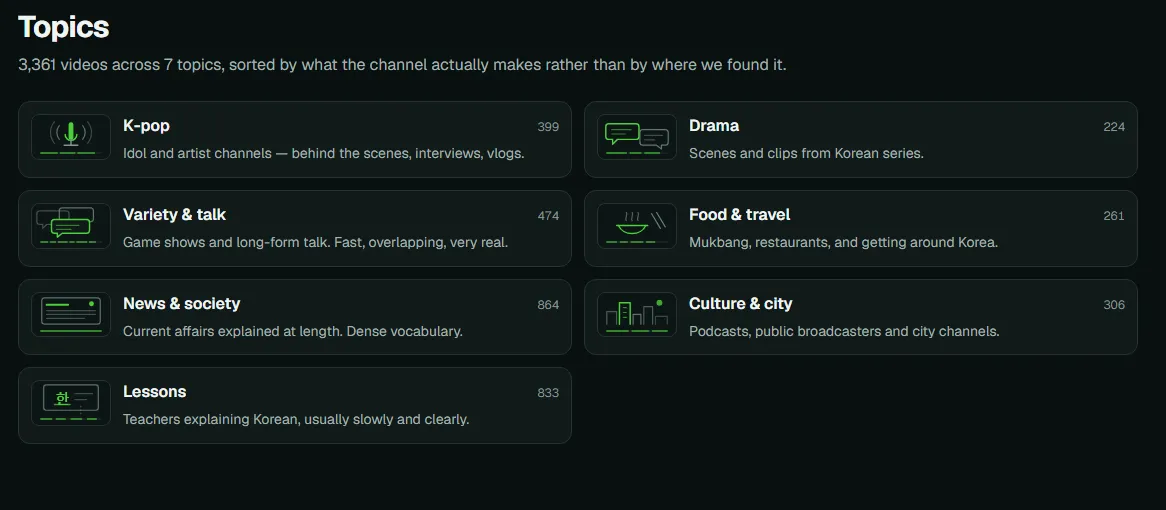
- Topics: seven groups, such as K-pop, Drama, News & society and Lessons.
- Channels: every channel in the collection.
You can also search. Type an expression in Hangul or in romanization, such as 잖아요 or jinjja, or words from a video title.
2. Watch with the subtitle panel
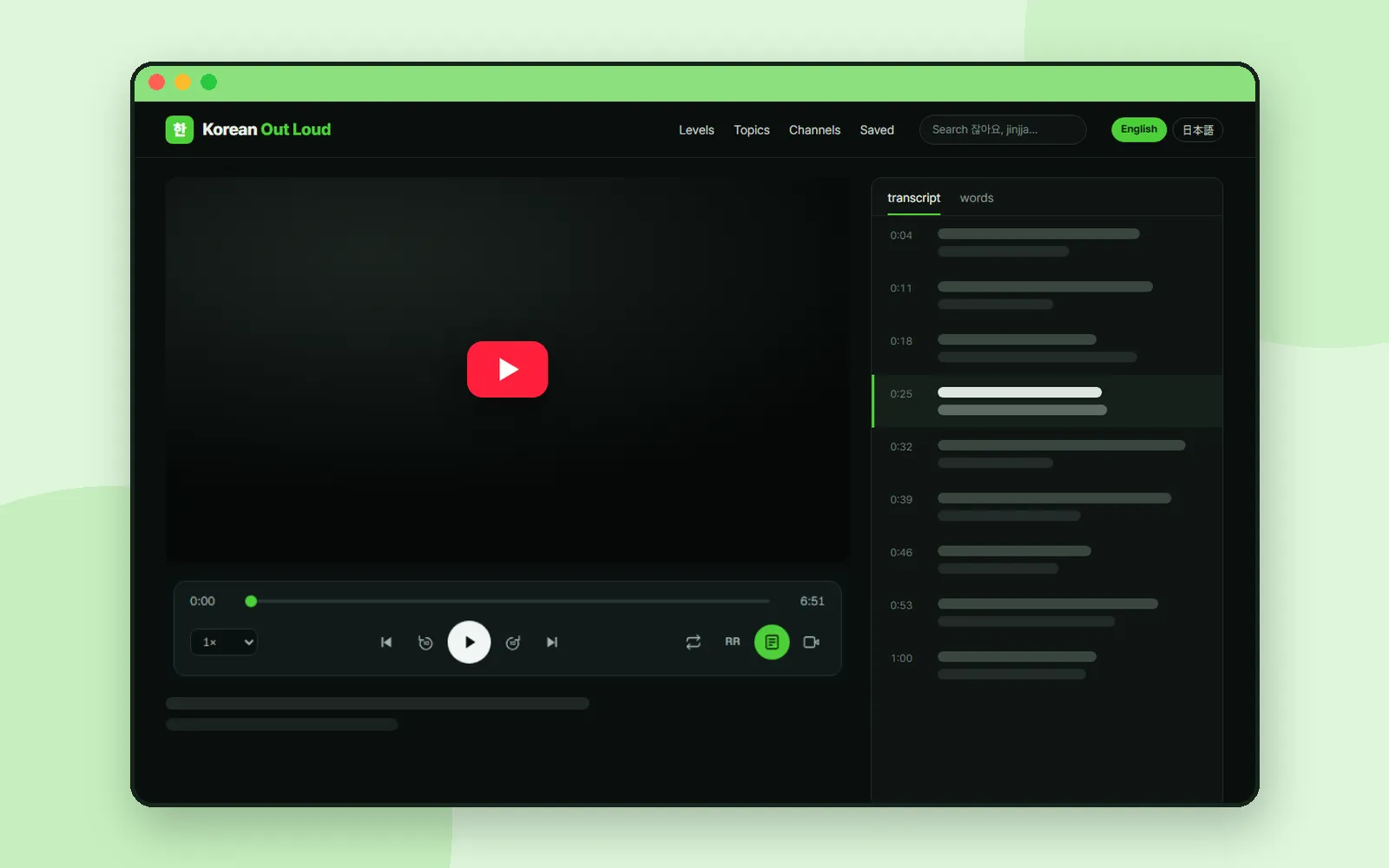
When you open a video, the subtitles run in a panel next to the player. The panel follows the video line by line, and tapping a line jumps straight to it. The bar under the player has the controls you will use most:

| Control | Shortcut | What it does |
|---|---|---|
| Previous line / Next line | ↑ / ↓ | Move one subtitle line back or forward |
| Back 10s / Forward 10s | ← / → | Skip 10 seconds |
| Play | Space | Play or pause |
| Loop line | R | Repeat the current line until you turn it off |
| Playback speed | — | 0.5×, 0.75×, 1×, 1.25× or 1.5× |
| RR | — | Show romanization under the Hangul |
Translations are off by default. If the video has one, you can switch it on and it appears under the Korean line, never instead of it. The panel's second tab lists the expressions in the video, rarest first, so you can jump to each line where one appears.
3. Study an expression across many videos
Every expression has its own page. Grammar and patterns come with a written explanation and a note on the level of politeness. Here is the page for -구요, an ending you hear constantly in conversation:
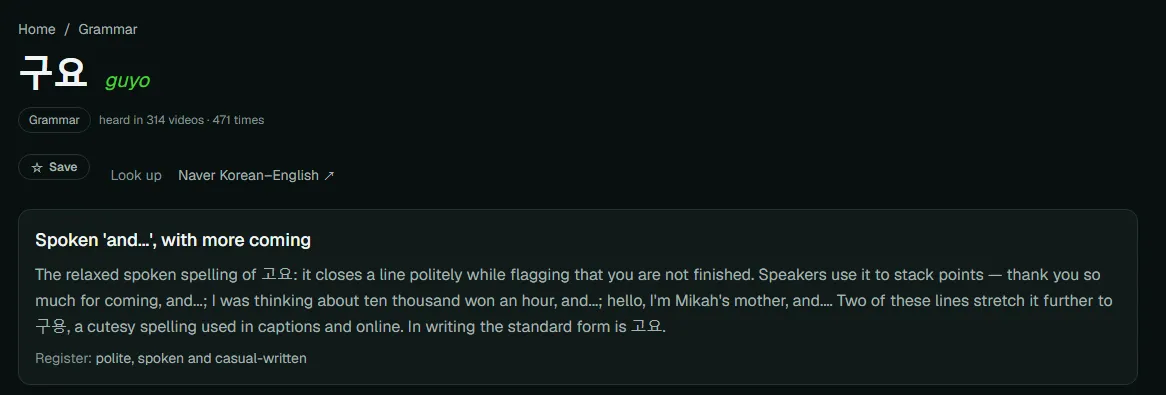
Below the explanation is a list of real lines from different videos that use the expression. Click a line and just that moment plays, with Repeat on. You can show romanization or a translation, or open the full video at that point. A short quiz, "Which one goes here?", checks whether you can pick the right expression, and a link opens the Naver dictionary.
Many common words also have their own pages, in addition to grammar and patterns.
4. Save what you want to review
Press "☆ Save" on an expression page and it goes to Saved in the top menu. Saved expressions are kept in this browser only: there is no account, so they do not follow you to another device.
Coming up
Next time: Utilizy, a collection of free web tools that run right in your browser.
Frequently asked questions
Is Korean Out Loud free? Do I need an account?
It is free, and there is no sign-up. Expressions you save are kept in your browser.
Does it use auto-generated captions?
No. According to the site, every video has subtitles written by a person, and nothing uses auto-generated captions.
Can I see a translation under the Korean?
Yes, when the video has one. Translations are off by default; turn one on in the player and it appears under each Korean line.
How are the levels decided?
Each video is ranked by how fast people speak and by how much of its vocabulary goes beyond the beginner word lists, and the collection is split into Beginner, Intermediate and Advanced.