Korean Out Loud
Korean listening practice by level: a routine with Korean Out Loud
How to practise Korean listening at the right level: take the level test, pick videos by speaking rate and speech style, then loop, shadow, dictate and review.
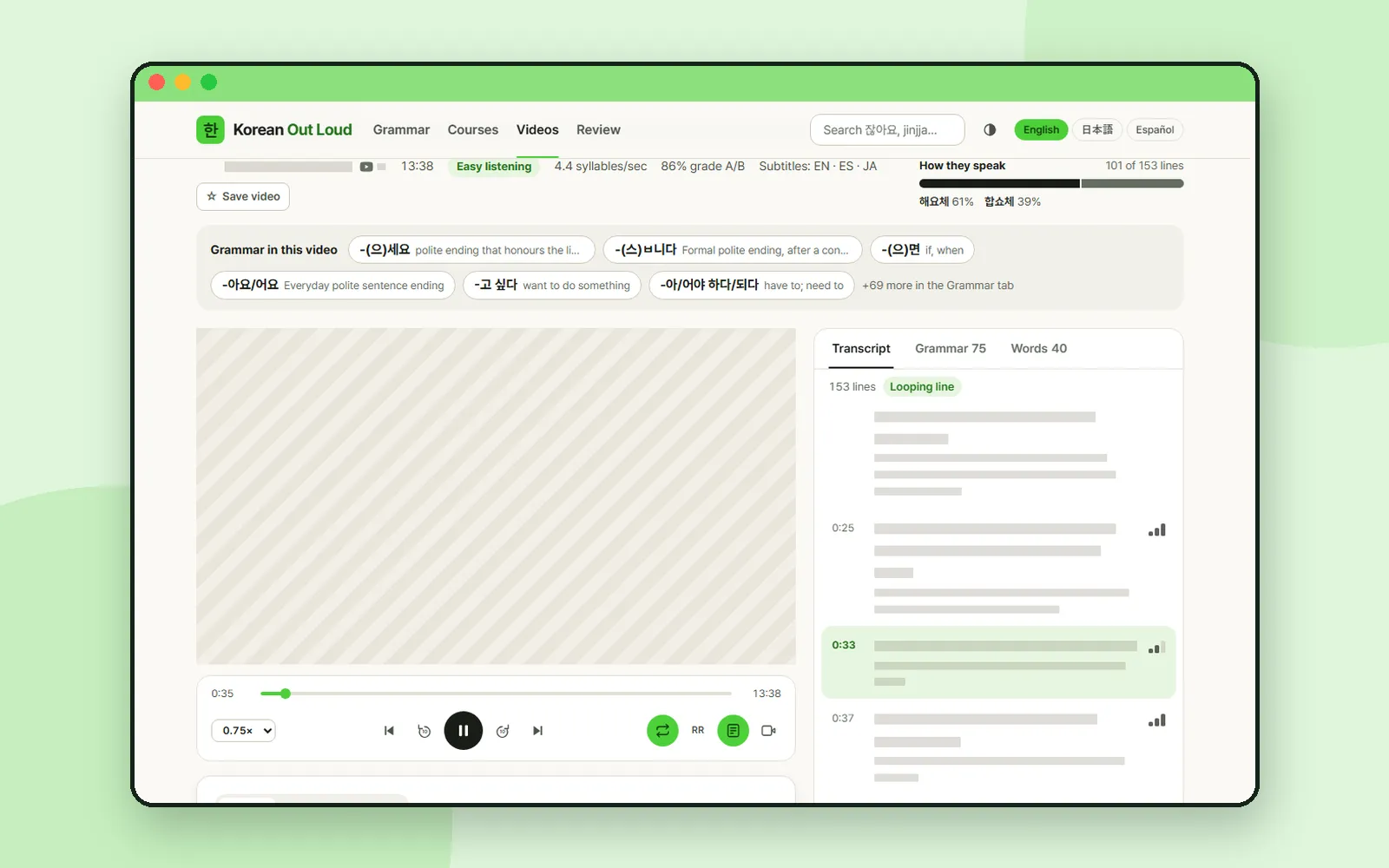
In the Korean Out Loud post we toured the whole site: grammar pages, courses, the study room and review. This time we stay with one skill, listening, and build a routine for each of the site's three video levels. The idea is simple: listen to real Korean that is only a little harder than what you already follow, and use the study room's tools to close the gap one line at a time.
ZZXXCCVV siteKorean Out LoudLearn Korean through YouTube videosOpen1. Find your starting point
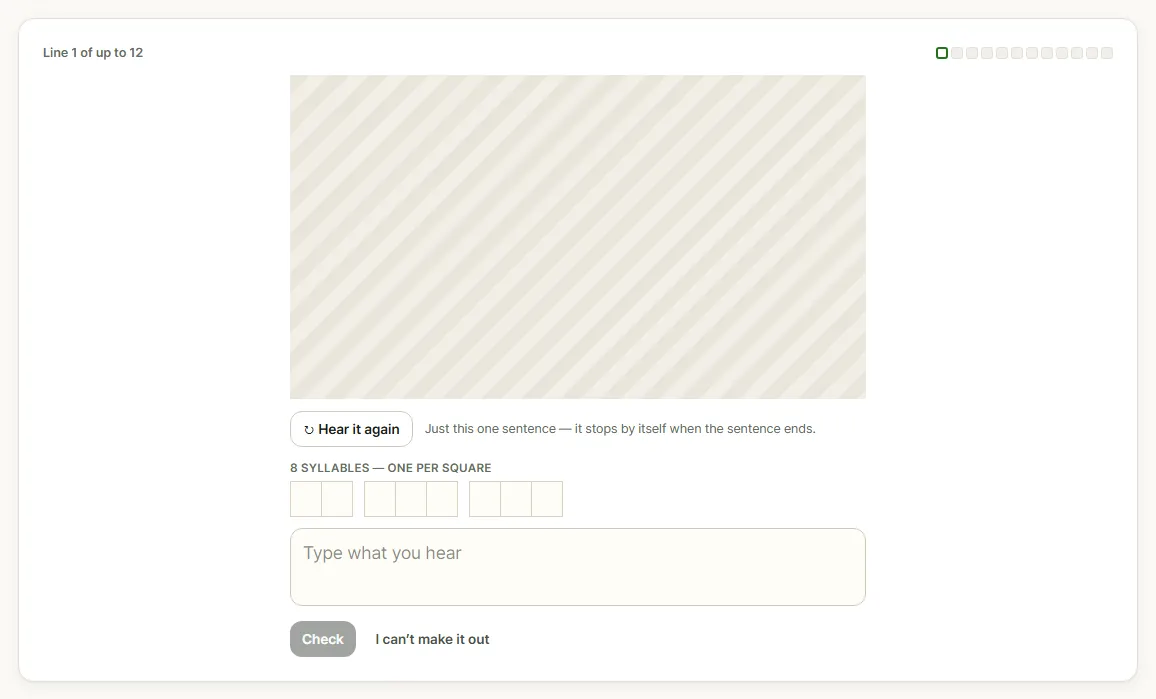
The video area is covered with a pattern.
If you do not know where you stand, open Courses and press "Start the test". The level test plays up to 12 real lines, easiest first. Only that one sentence plays, and it stops by itself at the end; "Hear it again" replays it. A row of squares shows how many syllables the line has, one per square. Type what you hear and press "Check", or press "I can't make it out" if you cannot. The test takes about three minutes, and it stops early when the lines get too hard.
At the end you get a starting level, a course to begin with and a button to the "Videos at this level". Your answers and result stay in your browser.
| Your result | Videos at this level |
|---|---|
| Starter | Easy listening |
| Beginner | Easy listening |
| Intermediate | Everyday pace |
| Advanced | Native speed |
2. The three video levels
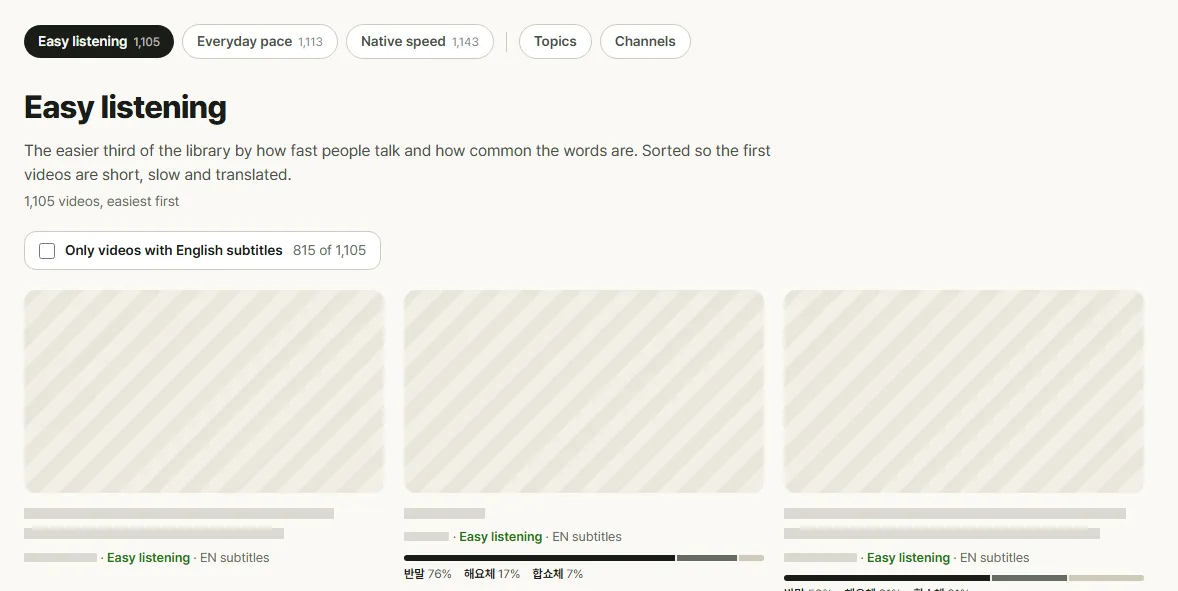
Video thumbnails are covered with a pattern; titles and channel names are replaced by grey bars.
Videos in the top menu splits the library into three levels by how fast people talk and how common the words are:
| Level | What the site says |
|---|---|
| Easy listening | The easier third of the library. Sorted so the first videos are short, slow and translated |
| Everyday pace | The middle third: normal conversational pace and everyday vocabulary |
| Native speed | The fastest third, with vocabulary well past the beginner lists |
Each level is listed easiest first. Every card shows the channel, the level, a subtitle badge when the video has a translation in your language, and a bar for how the people in it speak: 반말 (casual), 해요체 (everyday polite) and 합쇼체 (formal).
"Only videos with English subtitles" narrows the list to videos you can check against a translation. It is worth ticking at Easy listening, where you will lean on the translation most.
3. Choose a video that fits
Open a video and the study room shows, above the player, the numbers that tell you how hard it is to follow:
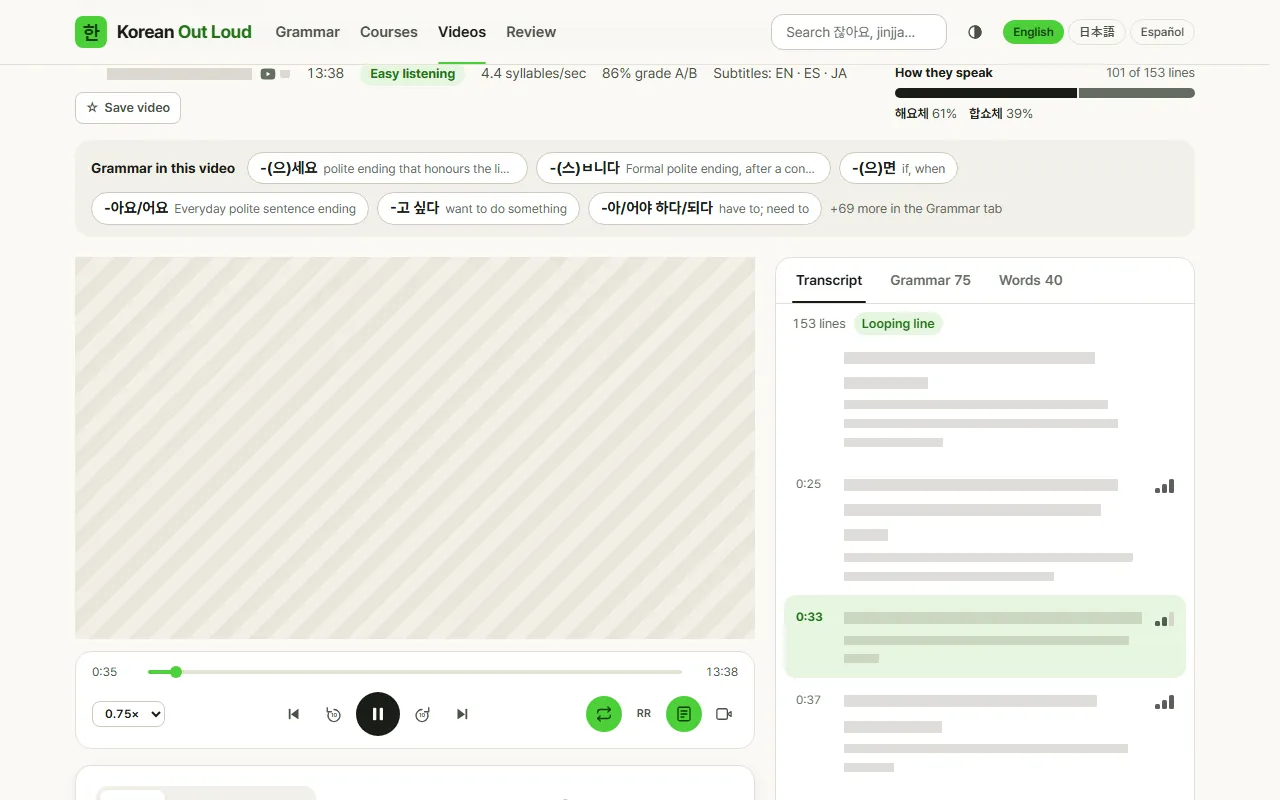
The video is covered with a pattern; the title, channel name, subtitle lines and translations are replaced by grey bars.
- Speaking rate, in syllables per second. Compare a few videos at the same level and start with the slower ones.
- Grade A/B share: how many of the words come from the beginner vocabulary lists. Grade A is the first 900 words a learner meets, grade B common everyday vocabulary. The higher the share, the more words you are likely to know.
- Subtitles: which translations the video has.
- How they speak: the mix of 반말, 해요체 and 합쇼체. The site glosses 해요체 as everyday polite speech, the style of shops and most TV, so a video that is mostly 해요체 is a comfortable place to start.
- Grammar in this video: grammar points you will hear, with their meanings. If you are studying one, pick a video that uses it.
4. A listening routine for each level
The control card under the player has everything the routine needs: the speed menu (0.5× to 1.5×), Previous line and Next line (↑ ↓), Back 10s and Forward 10s (← →), Loop line (R), RR for romanization, Auto-scroll, and Video only, which hides the transcript panel.

Change the settings as the level rises:
| Level | Speed | Translation | How to listen |
|---|---|---|---|
| Easy listening | 0.75×, then 1× | On | Loop each line until you can follow every syllable, then shadow it |
| Everyday pace | 1× | Off on the first pass | Listen to a short stretch, replay the lines you missed, and dictate the hardest one |
| Native speed | 1× | Off | Turn on Video only, listen through once, then loop and slow down only the lines you lost |
5. Say it back, write it down
The current-sentence card under the controls has three modes: Watch, Shadow and Dictate.
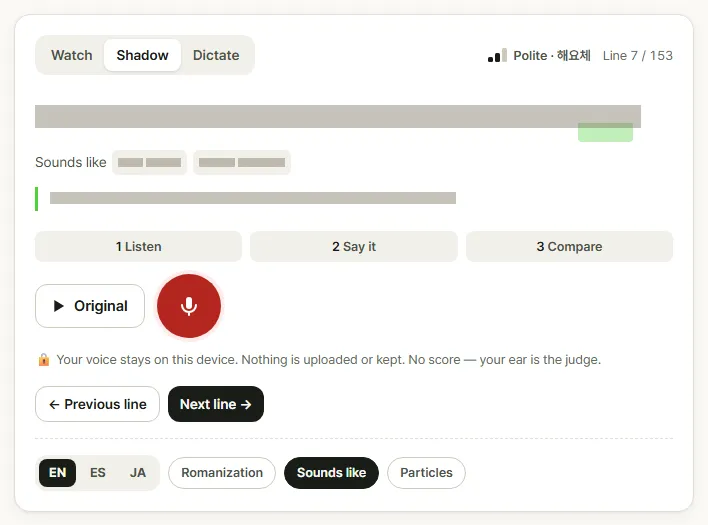
The sentence, its pronunciation and its translation are replaced by grey bars.
Shadow walks you through Listen, Say it and Compare. Play the original, record yourself, and play your take next to it. The site says your voice stays on your device, nothing is uploaded or kept, and there is no score: your ear is the judge. "Sounds like", on by default, spells out how the line is actually pronounced, which helps when the spelling and the sound differ.
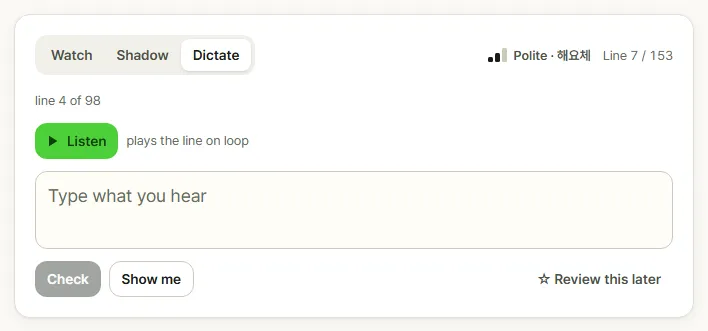
Dictate hides the sentence. Press "Listen" and the line plays on loop while you type it, then press "Check". The answer is marked syllable by syllable in squares, and spacing is shown but not scored. Only lines long enough to dictate are used, which is why the count differs from the transcript. "Show me" reveals the line, and "Review this later" saves it for review.
6. Review what you could not catch
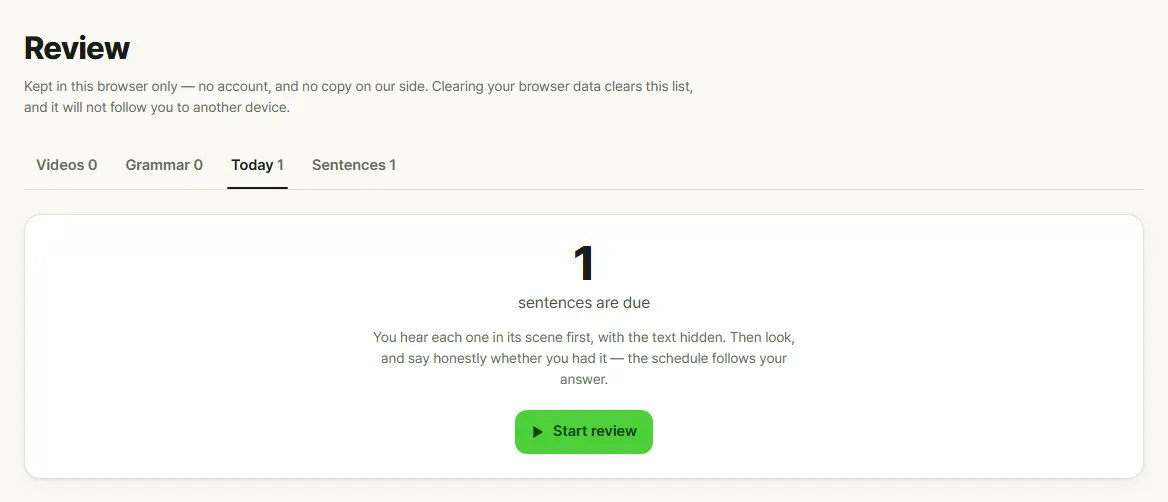
Press "☆ Save sentence" on a line you struggled with, or "Review this later" in Dictate mode. It goes to Review in the top menu. The Today tab lists the sentences that are due: a new one is due the day you save it, then after 1, 3, 7, 14, 30 and 60 days.
Review is a listening exercise too. Each sentence plays in its scene first, with the text hidden. You can type it before looking, then show the sentence and answer honestly: "I had it" or "I didn't". The ones you miss come back tomorrow; the rest come back when they are due. Everything is kept in this browser only.
Coming up
Next time: how to pick a game you can finish in five minutes on Ppooing.
Frequently asked questions
Which level should I start with on Korean Out Loud?
If you are not sure, take the level test on the Courses page. You type up to 12 real lines, and the site suggests a starting level, a course and videos at that level. Starter and Beginner lead to Easy listening, Intermediate to Everyday pace and Advanced to Native speed.
Can I slow down the videos?
Yes. The speed menu under the player goes from 0.5× to 1.5×, and Loop line (R) repeats the current subtitle line until you turn it off.
Do I need a Korean keyboard for dictation?
Yes. In Dictate mode and in the level test you type what you hear in Hangul. The answer is marked syllable by syllable, and spacing is shown but not scored.
Where is my progress kept?
In your browser only. Saved sentences, your level test result and your settings are not sent anywhere, so they do not follow you to another device.