Gallerin
Walk inside a masterpiece: how to use Gallerin, an online museum
Gallerin is a free online museum of public-domain paintings. Zoom to the brushstrokes, follow numbered stops with an audio guide and preview museums before you go.
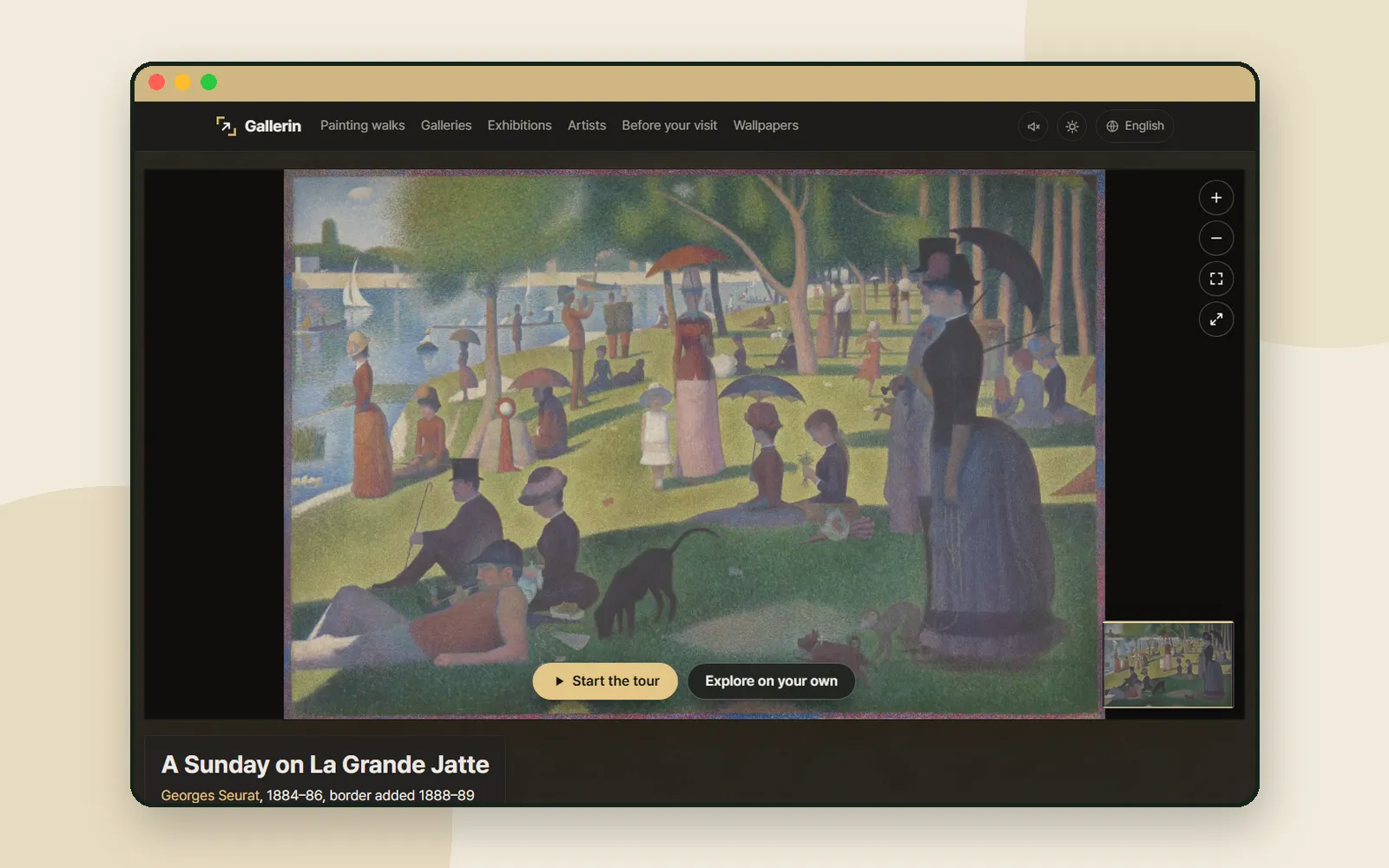
Most museum websites show a painting as one image the size of your screen. Gallerin is an online museum built around the opposite idea: open a single masterpiece, zoom in until you can see the brushstrokes, and walk through it stop by stop, with a short story and an audio guide at each one. The paintings are public-domain works that museums have released for anyone to use, and there are hundreds of them. It is free, with no sign-up. This post walks through one painting, Georges Seurat's A Sunday on La Grande Jatte, and then the tools around it.
ZZXXCCVV siteGallerinAn online museum: zoom into masterpieces with audio guidesOpen1. Open a painting walk
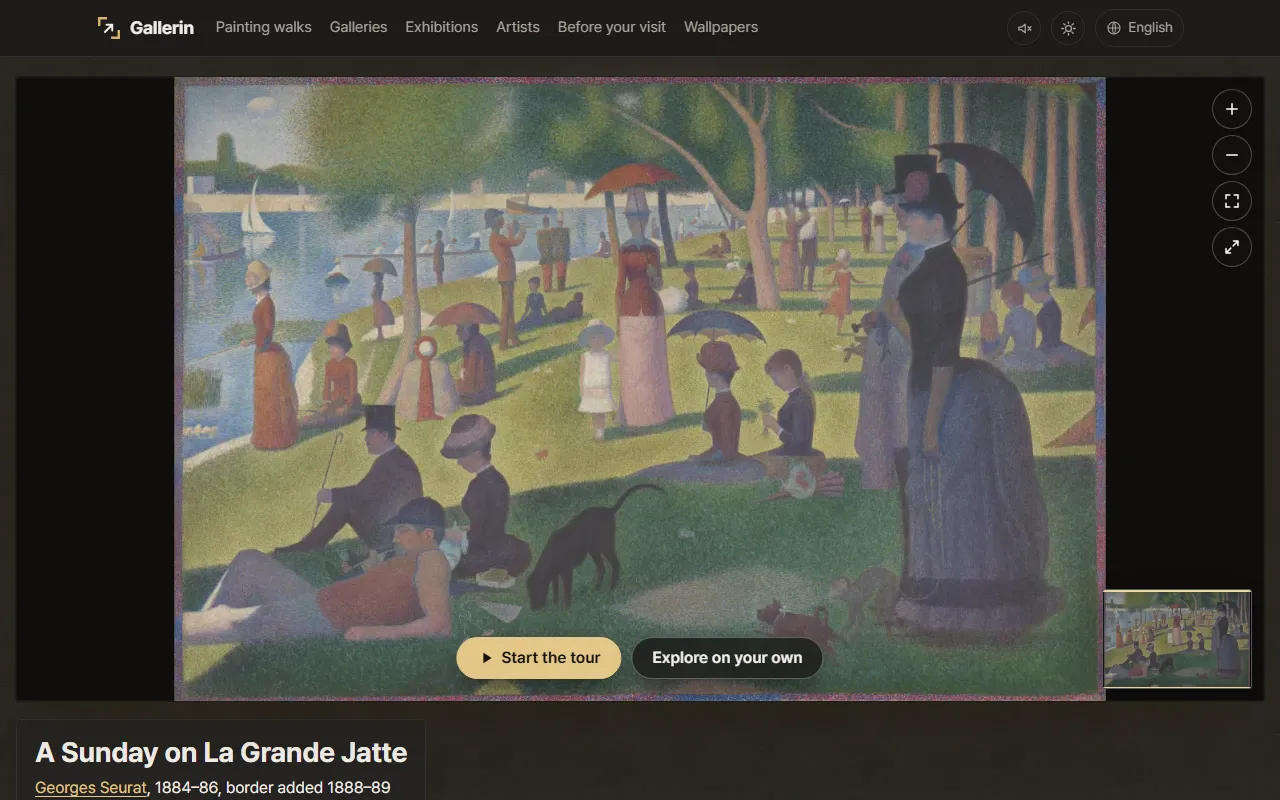
Every painting on Gallerin has its own page, which the site calls a painting walk.
On the front page, "Walk this painting" opens the painting shown there, and "Browse paintings" opens the full list, hung in rooms by period from Gothic to Post-Impressionism.
2. Zoom in until you see the brushstrokes
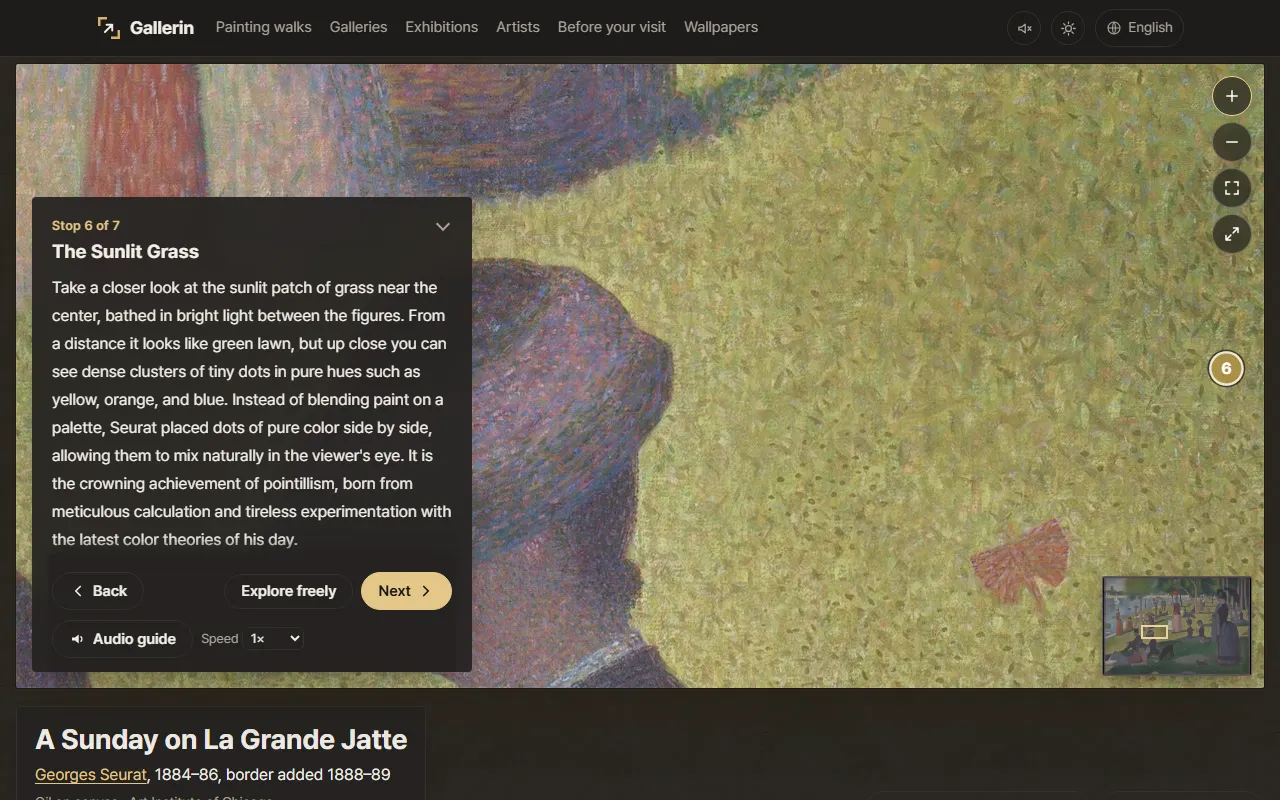
The site builds its zoom from the largest file each museum offers for download, so you can keep going long after an ordinary image would blur.
- Use the + button on the right, or your mouse wheel, to zoom in. − zooms out, and "Whole painting" brings back the full view.
- The minimap in the lower right shows where you are in the painting, which helps once only a small patch of canvas fills the screen.
- "Painting only, full screen" hides everything else, and "Share this view" shares the part you are looking at.
Seurat is a good painting to try this on. From a distance the lawn looks green; zoom into the patch the walk calls "The Sunlit Grass" and it turns into small, separate dots of color.
3. Follow the numbers, with an audio guide
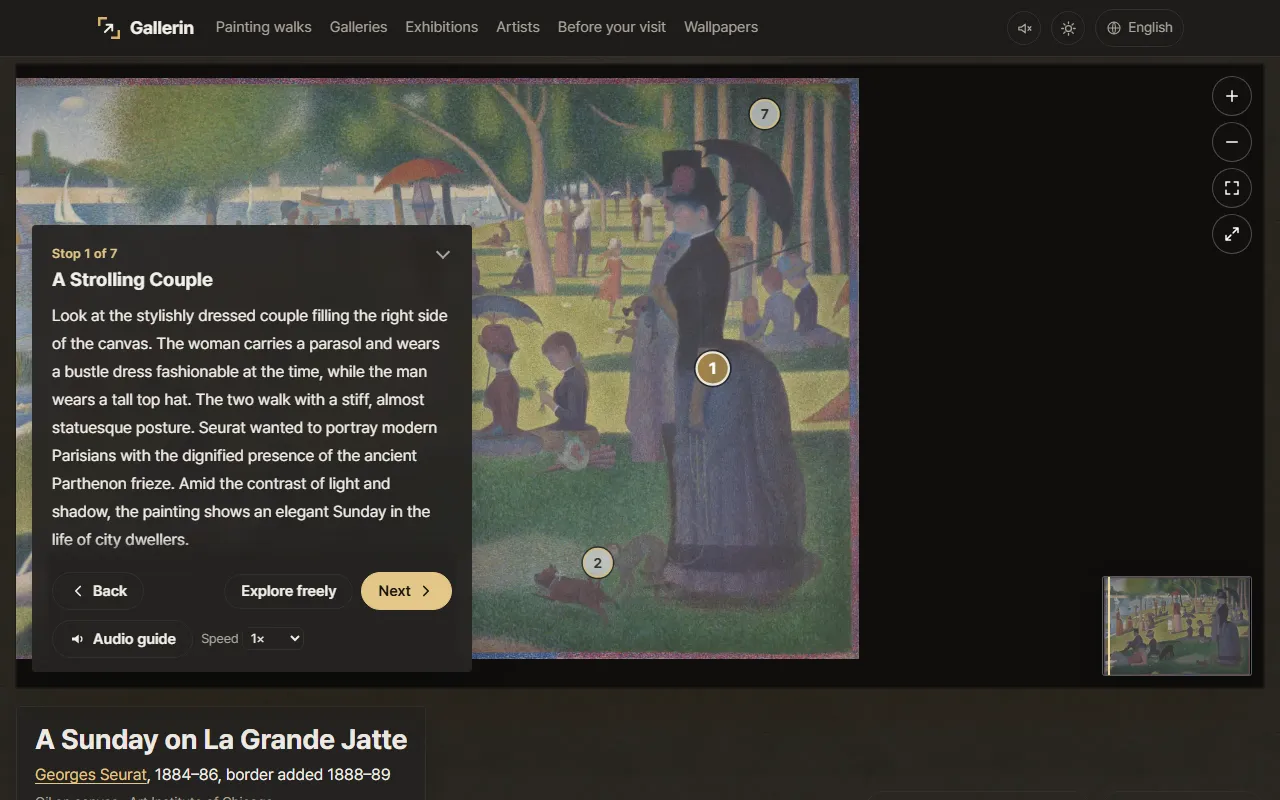
Each painting walk has a set of numbered stops, each a detail with a short story. The Grande Jatte has seven, from "A Strolling Couple" to "The Painted Border of Dots" around the edge.
- Explore on your own: the view moves to stop 1 and a panel shows "Stop 1 of 7", the stop's title and its story. Press "Next" and "Back" to move along, or "Explore freely" to drop the numbers and look around.
- Audio guide: press it to have the stop read aloud. The "Speed" menu offers 0.8×, 1× and 1.25×. The site lists five languages for audio: Korean, English, Spanish, Japanese and Chinese.
- Start the tour: the menus disappear, the painting sits in a dark room, and the story runs as captions under it. The site describes this as letting the walk "play like a theater". "End the tour" brings you back to the page.
The full stories are also printed further down the page, under the painting's title, so you can read them without the viewer.
4. Before your museum visit
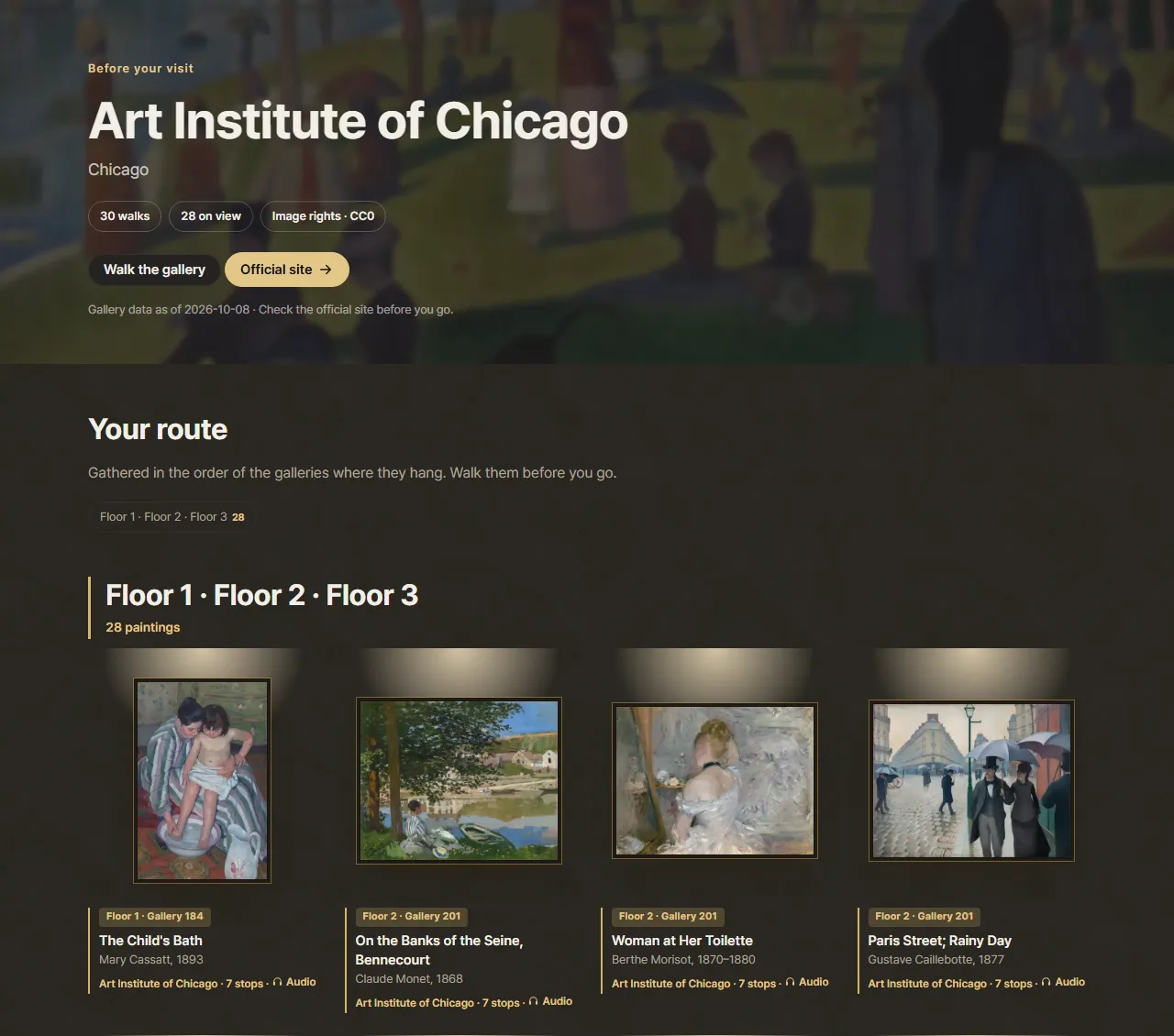
If you are about to visit one of the museums, "Before your visit" in the top menu turns Gallerin into a preview. Each museum page gathers its paintings under Your route, "in the order of the galleries where they hang", and labels each card with the floor and gallery, such as "Floor 2 · Gallery 240" for the Grande Jatte.
The museums include the Metropolitan Museum of Art, the Art Institute of Chicago, the Rijksmuseum and the National Museum of Korea. A chip at the top shows how many of the paintings are on view, and "Walk the gallery" opens a selection of its highlights as a room you scroll along.
5. Colors, wallpapers and where each image comes from
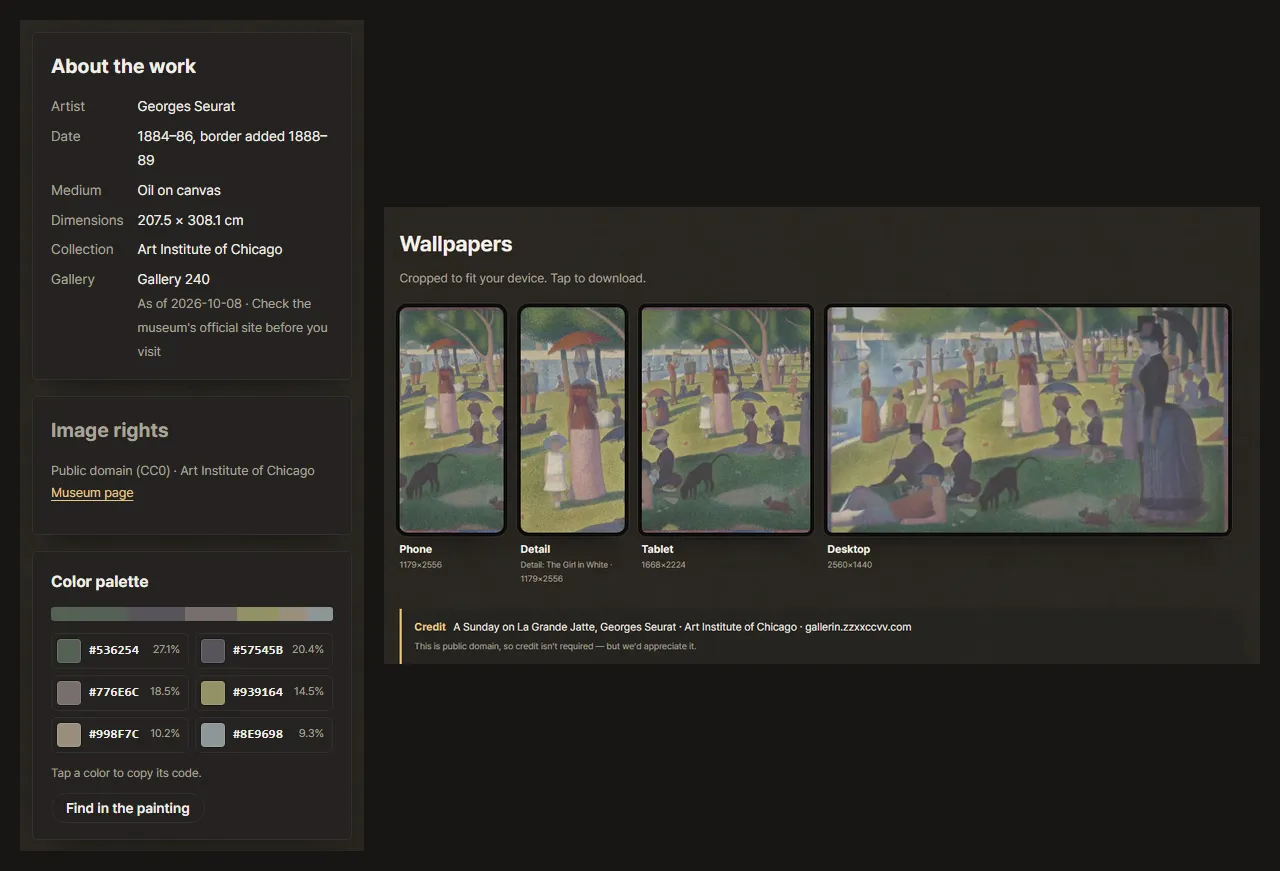
Below the viewer, each walk page has a few boxes worth knowing about.
- About the work lists the artist, date, medium, size, collection and gallery.
- Image rights gives the rights type and the museum, with a "Museum page" link to the original record.
- Color palette breaks the painting into six colors. "Tap a color to copy its code", and "Find in the painting" dims everything except the areas in the selected color.
- Wallpapers offers the painting cropped for Phone, Tablet and Desktop, plus a Detail crop of one stop. The site says "Tap to download", and gives a ready-made Credit line. It notes that credit isn't required for public-domain works, but that it would appreciate it.
Gallerin's "Image rights" page in the footer explains the rules: only images confirmed as CC0, Public Domain Mark or KOGL Type 0/1 are hung, and a work whose rights cannot be confirmed does not appear at all. If you want to use a painting, the site points you to the museum's own page, since usage guidance differs a little between museums.
6. Other ways to wander
- Exhibitions gather small details from many paintings around one theme, such as "Dogs in paintings", "What hands say" or "Where the light falls". Tap a detail to start the walk at that scene.
- Galleries hang a set of paintings on a wall you scroll along, either a museum's highlights or an exhibition.
- A corridor of 700 years on the front page hangs paintings in the order they were made, at their true relative sizes, next to a 170 cm figure for scale.
- Artists puts the painters on one timeline, so you can see who lived alongside whom.
If a walk leaves you wondering what Impressionism or the Renaissance actually was, Aha!So explains movements like these in plain language. See How to use Aha!So.
Coming up
Next time: Raeum, where you can watch and listen to Western classical music and Korean gugak in one place.
Frequently asked questions
Is Gallerin free? Do I need an account?
It is free, and there is no sign-up. The site's About page puts it as "No tickets, no sign-up."
Where do the paintings come from?
From museums that have released images of their collections for anyone to use, such as the Metropolitan Museum of Art, the Art Institute of Chicago, the Rijksmuseum and the National Museum of Korea. The site says it only hangs images confirmed as CC0, Public Domain Mark or KOGL Type 0/1, and every painting page shows its rights type and links to the museum's own page.
Who writes and reads the audio guides?
According to the site's About page, the guides are written with AI tools based on museum texts and published research, fact-checked against those sources, and read aloud with AI speech synthesis. Each walk page also notes that the guide may contain mistakes and links to a corrections form.
Can I use Gallerin to plan a real museum visit?
Yes. Before your visit gathers each museum's paintings in the order of the galleries where they hang, with the floor and gallery number. The gallery data carries a date, and the site asks you to check the museum's official site before you go.