The ZZXXCCVV portal has a new look: how to find the right site faster
The ZZXXCCVV portal was redesigned in October 2026. Here is how its new front page works, from the mood buttons and Today's three to the group rows and site pages.
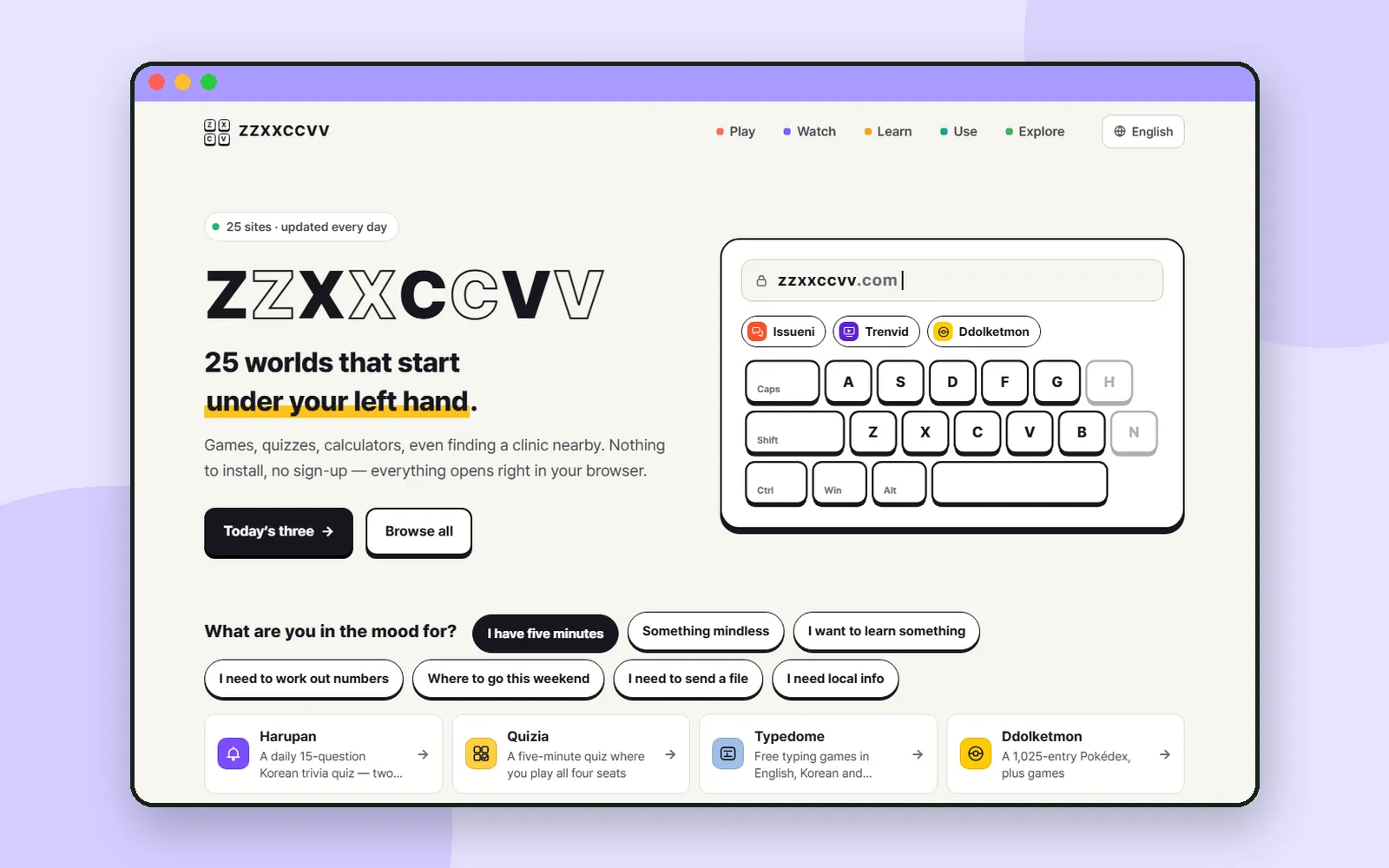
ZZXXCCVV is a family of websites that each do something different, and the portal at zzxxccvv.com is where they all meet. In early October 2026 the portal got a completely new look. This post walks through the new front page, so you can get from "I have a few minutes" to the right site in a couple of clicks.
If you are new here, Meet ZZXXCCVV introduces the sites one by one.
1. A brighter, simpler front page
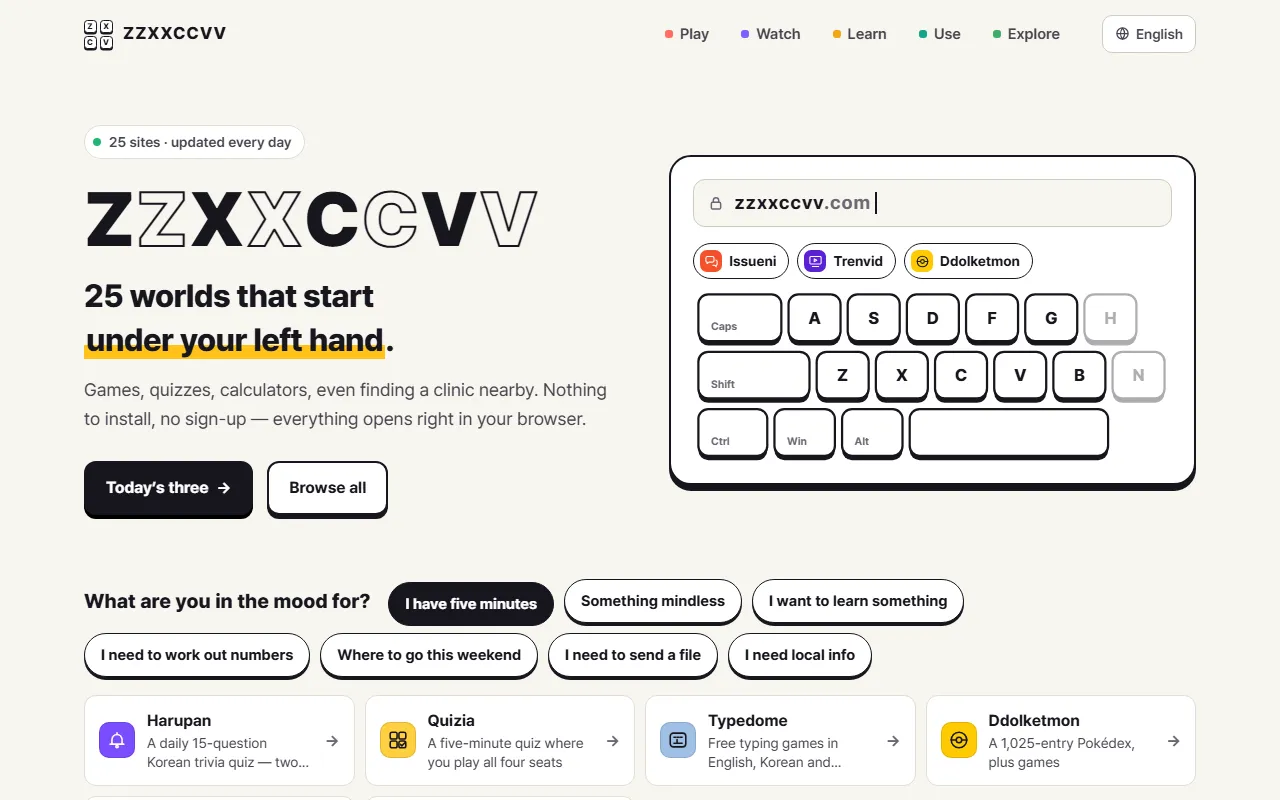
The portal on October 3, 2026.
The old portal was dark and busy. The new one is light and flat, with plain backgrounds and large, easy-to-read text. Buttons and cards are drawn like keycaps: a white top, a dark outline and a solid edge underneath, and they press down when you click them.
At the top you will find the five groups the sites are sorted into (Play, Watch, Learn, Use and Explore) and a language menu. Under the big wordmark are two buttons: Today's three jumps to the daily picks, and Browse all takes you down to the full list.
2. "What are you in the mood for?"
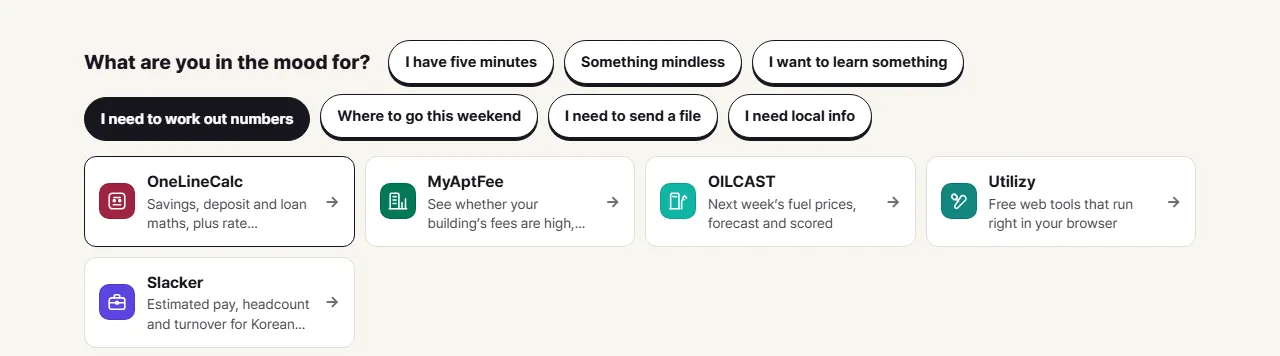
Just below the top of the page is a row of buttons that start from what you want to do, not from site names:
- I have five minutes
- Something mindless
- I want to learn something
- I need to work out numbers
- Where to go this weekend
- I need to send a file
- I need local info
Pick one and the cards underneath change to the sites that fit. "I need to work out numbers", for example, brings up a savings and loan calculator, an apartment fee comparison, a fuel price forecast and a set of web tools. Each card has a one-line description and an arrow that opens the site.
3. Today's three
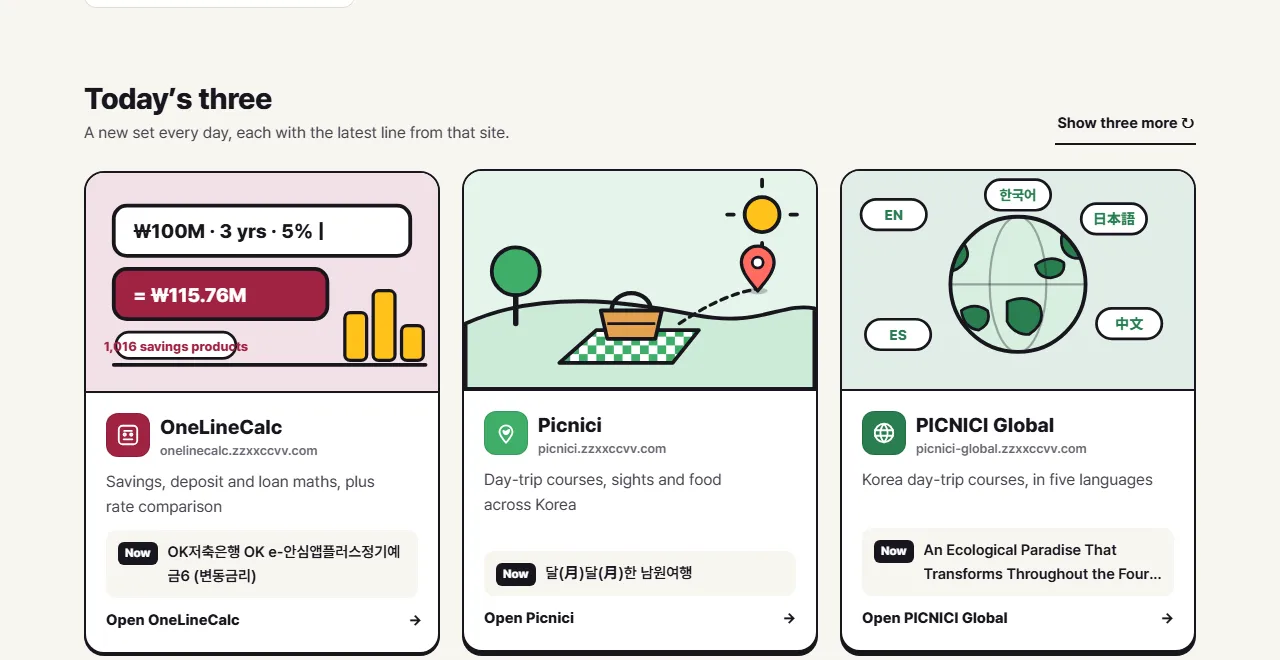
Today's three changes every day. These are the picks for October 3.
Today's three puts three different sites in the spotlight each day. Every card has its own illustration and a Now line, the latest item from that site, so you can see what is going on there before you click. Want different ones? Show three more shuffles the picks.
4. Five rows, one for each group
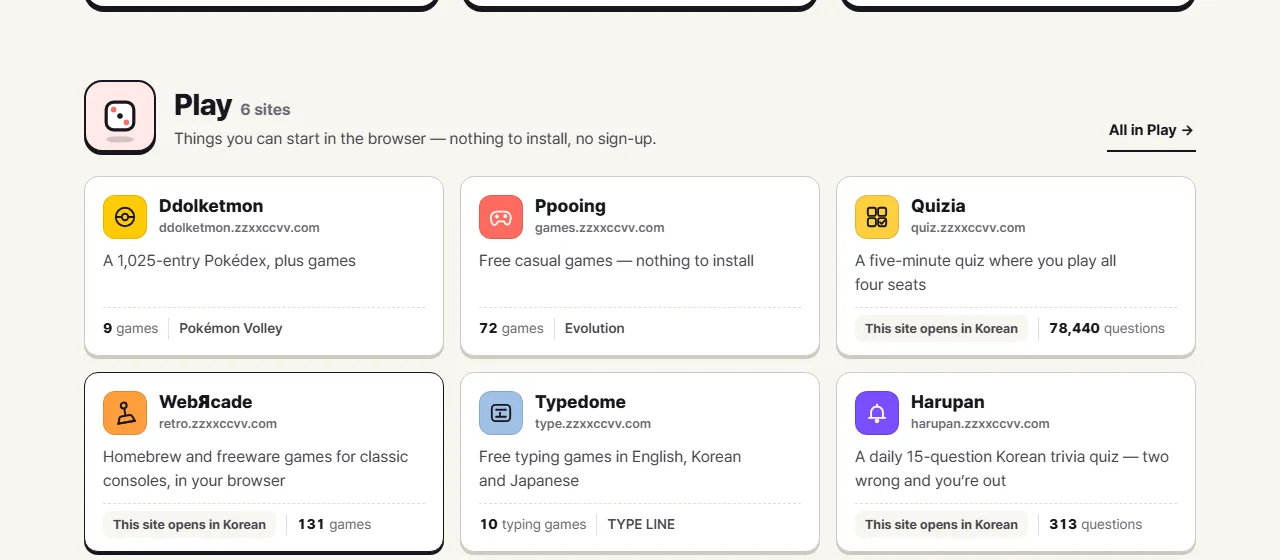
Further down, the sites are laid out in five rows, one for each group. Every card shows:
| On the card | What it tells you |
|---|---|
| Name and address | The site and the address it opens |
| One line | What the site is for |
| A number | Something you can count there right now, such as games, questions or tools |
| The latest item | Something that just changed on the site |
Some sites are only in Korean, and their cards say so ("This site opens in Korean"). The link at the end of each row, such as All in Play, opens a page for that group, with a longer description of each site and what is new on it.
5. A page for every site
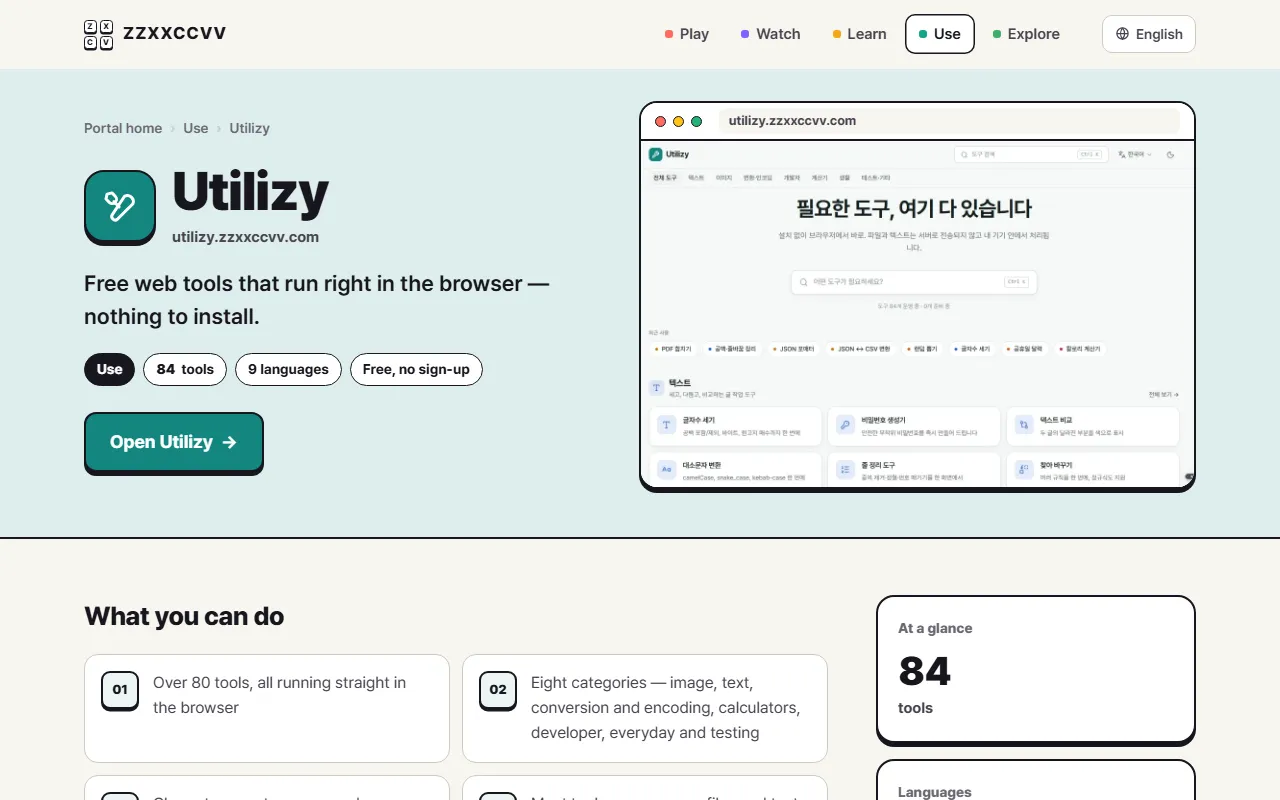
Each site also has its own page on the portal, at an address like zzxxccvv.com/en/site/utilizy/. It starts with what the site does in a sentence, a few chips (its group, a number to count, its languages, "Free, no sign-up") and a button to open it. Below that come What you can do, a short list of the main features; Right now on this site, the latest items, updated every 30 minutes; and You might also like, other sites from the same group.
Coming up
The portal is the map; the blog is where we look at one site at a time. In the next post we try two of Utilizy's image tools: shrinking a photo and removing its background, right in your browser.
Frequently asked questions
Did any site addresses change?
No. The redesign changed how the portal looks, not where things are. zzxxccvv.com and every site's own address work as before.
Do I need an account to use the portal?
No. The portal is a map of the sites. You open it in your browser and pick where to go, with nothing to install and no sign-up.
Are all the sites in English?
No. The portal itself comes in many languages, but some sites are only in Korean. Their cards say so, for example "This site opens in Korean".
How often does Today's three change?
Once a day. The portal also lets you shuffle to another three whenever you like.