Traffic Jack
How to play Traffic Jack: Seoul, a comic car game on a real map of Seoul
A beginner's guide to Traffic Jack: Seoul, a free comic car game in the browser: the first job, controls, toy weapons, wanted stars and what on the map is real.
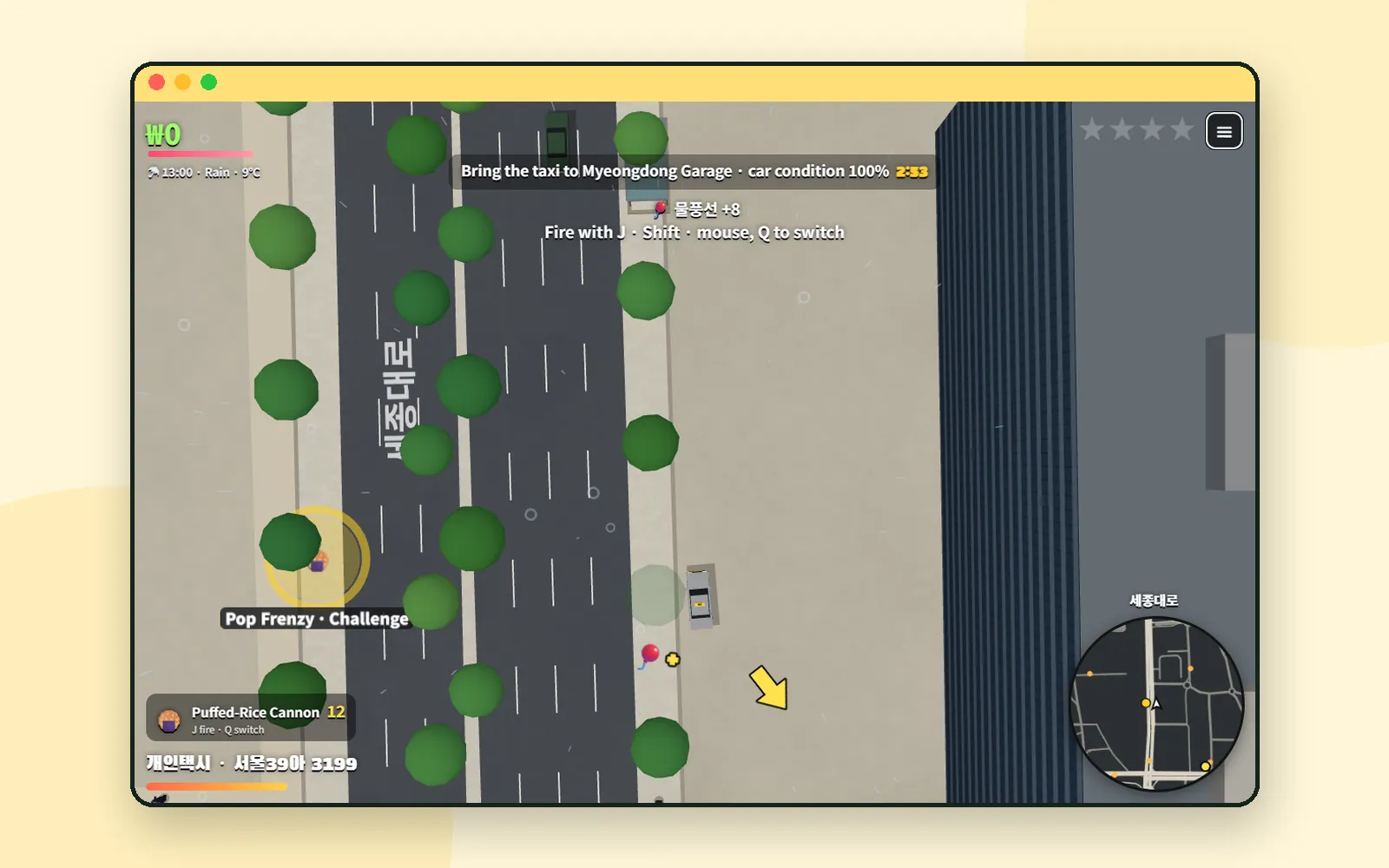
Traffic Jack: Seoul is a comic car action game that runs in your browser. You jack cars, take odd jobs, shake off the police with toy weapons and stop a villain called Gridlock X from jamming up the city, all on a map of Seoul drawn from real map data. It is played from straight above, there is no blood, and the weapons are things like a puffed-rice cannon and water balloons. It is free, with no install and no sign-up. This guide covers what a new player needs: how the first job starts, the controls, the toy weapons, the wanted stars and which parts of the map are real.
ZZXXCCVV siteTraffic JackComic car action on a real map of SeoulOpen1. Start the game and take the first job
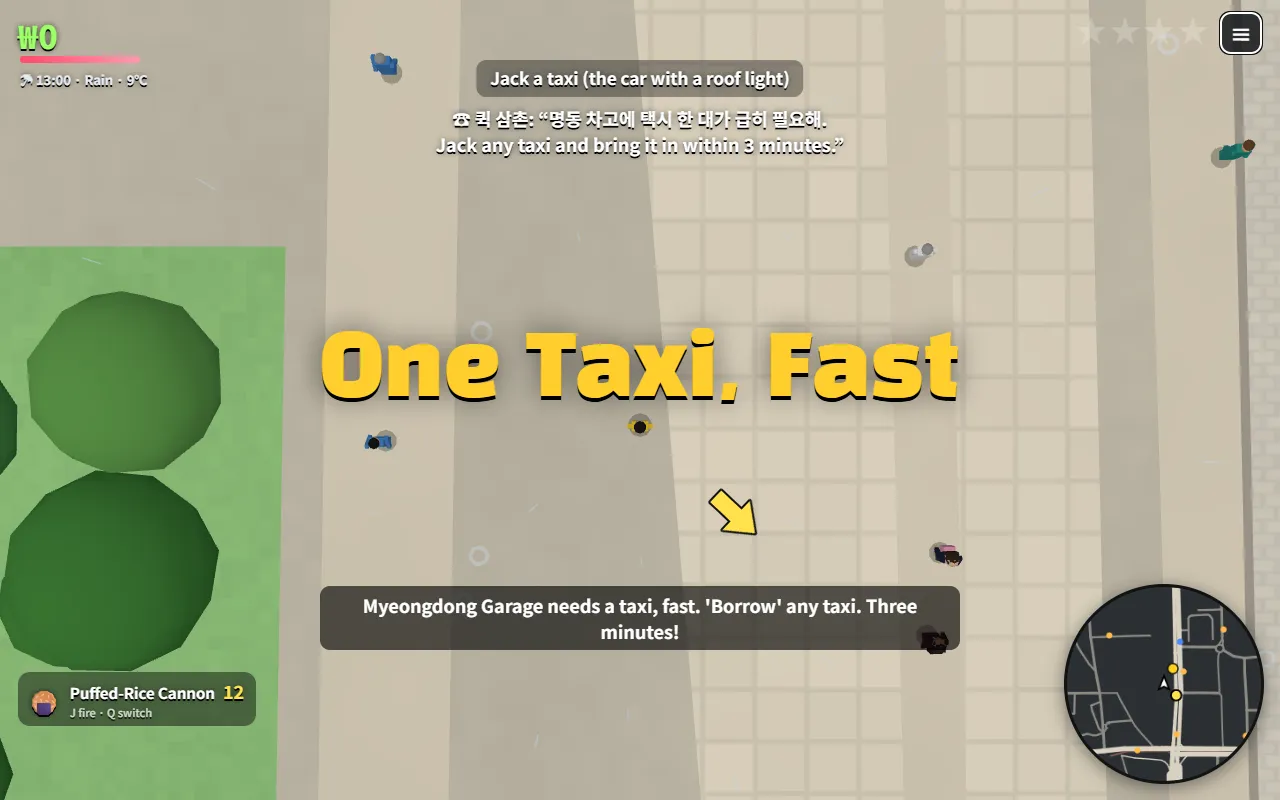
The first job, "One Taxi, Fast", comes from a character called Uncle Quick: jack any taxi (the car with a roof light) and bring it to Myeongdong Garage within three minutes. Once you have a taxi, the line at the top of the screen shows the goal, the car's condition and the time left.
The rest of the screen works the same way throughout the game. Your money, the time and the weather are at the top left. The wanted stars and the ≡ menu are at the top right. The minimap, with the name of the road you are on, sits at the bottom right, and your current toy weapon and the car you are driving are at the bottom left.
According to the site, the characters' lines and bus announcements were made with AI voice synthesis from scripts the team wrote. The voices are in Korean; on the English, Japanese and Spanish screens, the lines appear as subtitles. Street names on the map are also written in Korean.
2. Controls
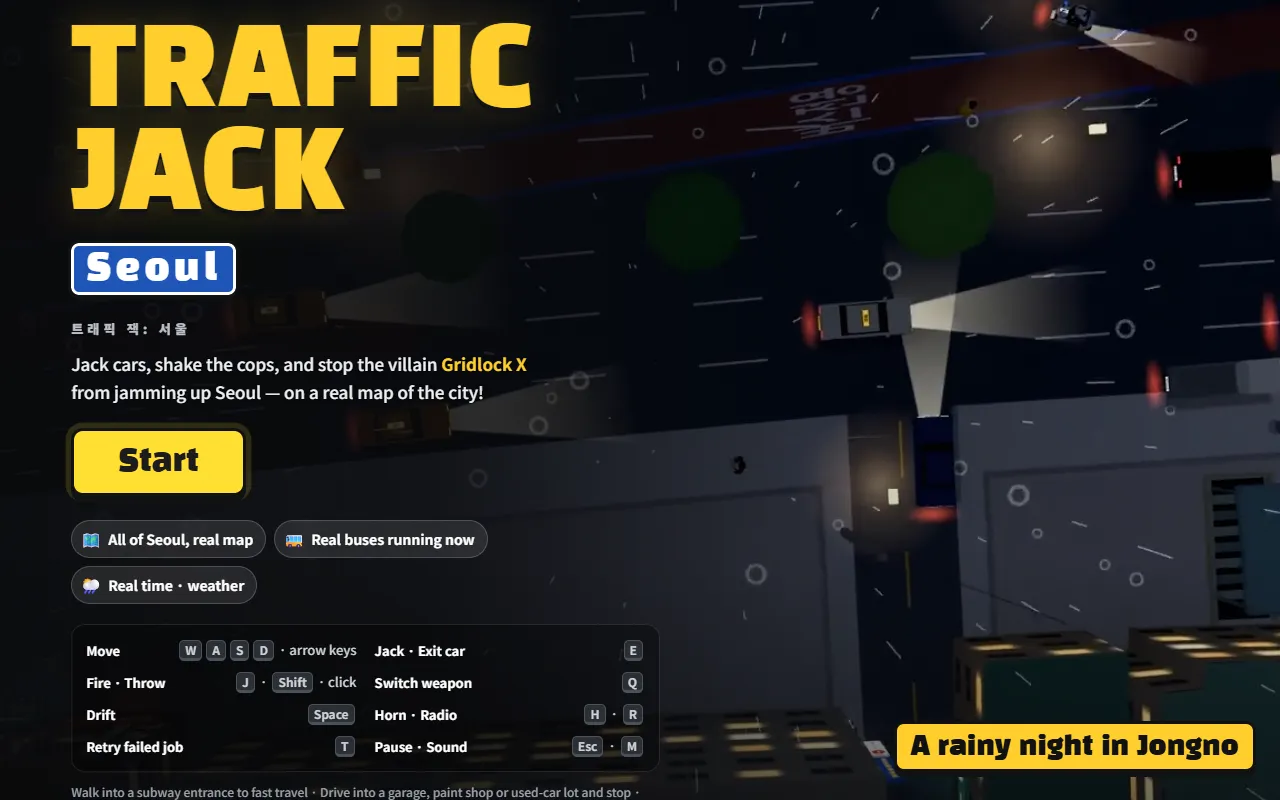
The title screen shows the keyboard controls, and the How to Play page lists them in full.
| Action | Keyboard |
|---|---|
| Walk · Drive | W A S D or arrow keys |
| Get in (jack) · Get out | E or Enter |
| Fire · Throw toy weapon | J · Shift · left mouse button |
| Switch weapon | Q |
| Handbrake (drift) | Space |
| Horn · Radio channel | H · R |
| Retry failed job | T |
| Mute · Pause | M · Esc |
Gamepads work too: left stick to move, X to fire, and left or right on the D-pad to switch weapons.
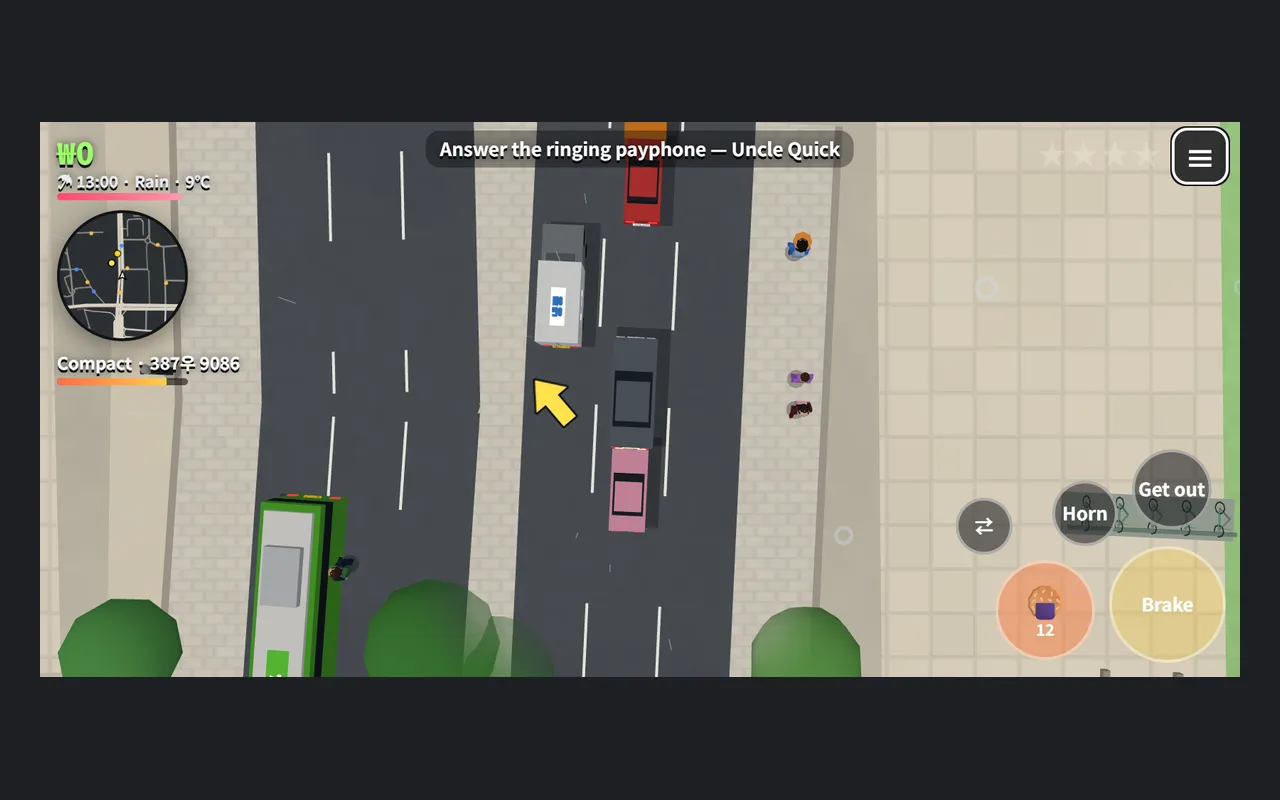
On a phone, press and drag on the left side of the screen to walk or drive. The buttons at the bottom right change with the situation: "Get in" next to a car, "Brake", "Horn" and "Get out" while you drive, and fire and switch buttons when you have toy weapons. Radio, sound and pause are in the ≡ menu. The game also works upright, but the site recommends turning the phone sideways for a wider view.
3. Five chapters, five parts of Seoul
The story moves across the city one chapter at a time. Clients call you or summon you to payphones, and each finished job pays money and toy weapons.
| Chapter | Where it takes place |
|---|---|
| Ch.1 · Seoul Driver's License (Unofficial) | Jongno · Jung-gu |
| Ch.2 · The Duck Boat Fleet | Yongsan · Han River |
| Ch.3 · Five Minutes to Showtime | Mapo · Hongdae · Sinchon |
| Ch.4 · The Valet Parking Union | Gangnam · Seocho · Yeouido |
| Ch.5 · The Great Gridlock | From Jamsil to all of Seoul |
A side story with Grandpa Ppeong, who introduces the toy weapons one by one, starts calling during Ch.1. All the characters, companies and events are fictional; the site says real places are used only as settings.
Failing is not a big setback. If a job fails, press T (or the "Retry!" button on a phone) to try that step again on the spot. If you are knocked out, you wake up at the nearest hospital; if the police catch you, Sgt. Park lets you off with a lecture at the nearest police station. Either way, an empty taxi is waiting at the door.
4. Toy weapons instead of guns
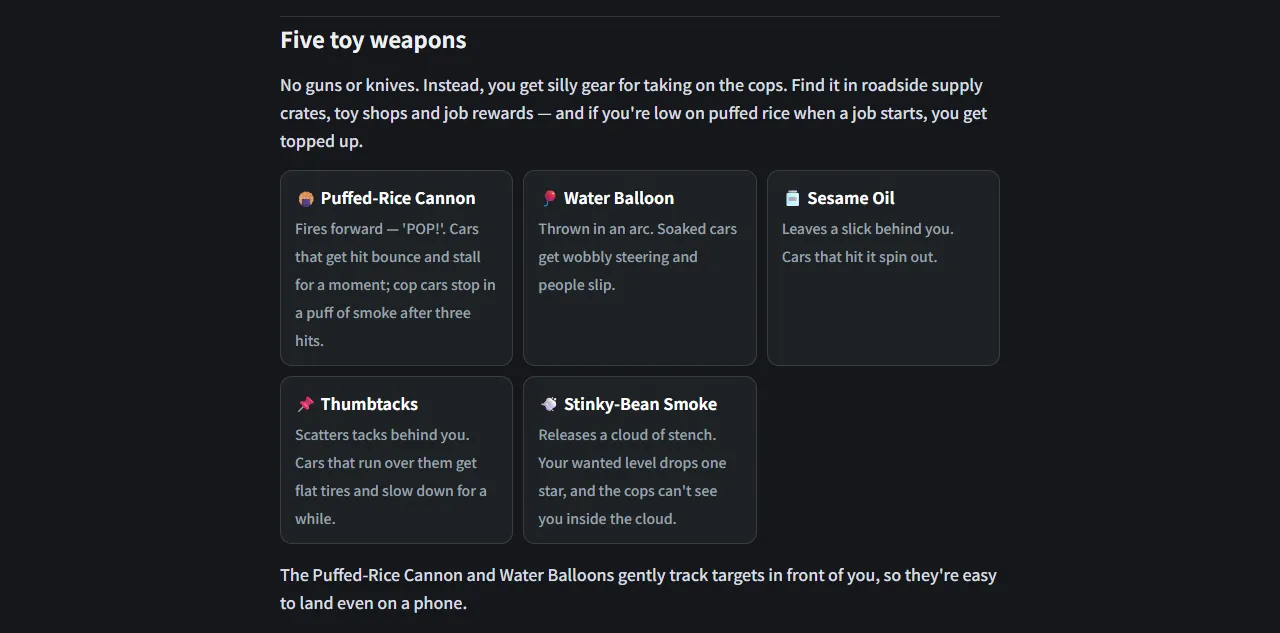
There are no guns or knives in the game. You pick up toy weapons from supply crates by the road, toy shops and job rewards.
| Toy weapon | What it does (from the How to Play page) |
|---|---|
| 🍘 Puffed-Rice Cannon | Fires forward. A car that is hit bounces and stalls for a moment; a cop car stops after three hits. |
| 🎈 Water Balloon | Thrown in an arc. Soaked cars get wobbly steering and people slip. |
| 🫙 Sesame Oil | Leaves a slick behind you that makes cars spin out. |
| 📌 Thumbtacks | Scattered behind you; cars that run over them get flat tires and slow down. |
| 💨 Stinky-Bean Smoke | A cloud of stench. Your wanted level drops one star, and the police cannot see you inside it. |
The Puffed-Rice Cannon and Water Balloons steer slightly towards a target in front of you, which helps on a touch screen. The site describes the tone as cartoon chaos: stars spin when someone is knocked down, and "BOOM!" pops up when cars crash.
5. Wanted stars and how to lose them
Jacking cars or ramming police cars raises the wanted stars at the top right, up to four. What the police see with their own eyes counts heavily, while things nobody saw build up slowly as reports. The more stars you have, the more police cars give chase.
There are three ways to bring the stars down:
- Stay out of sight. The wanted level slowly cools down while the police cannot see you.
- Visit a Paint Shop. According to the How to Play page, stopping by one clears the wanted level at once. Paint Shops also repaint and repair cars and change plates.
- Use Stinky-Bean Smoke. It drops the level by one star.
6. More to do around the city
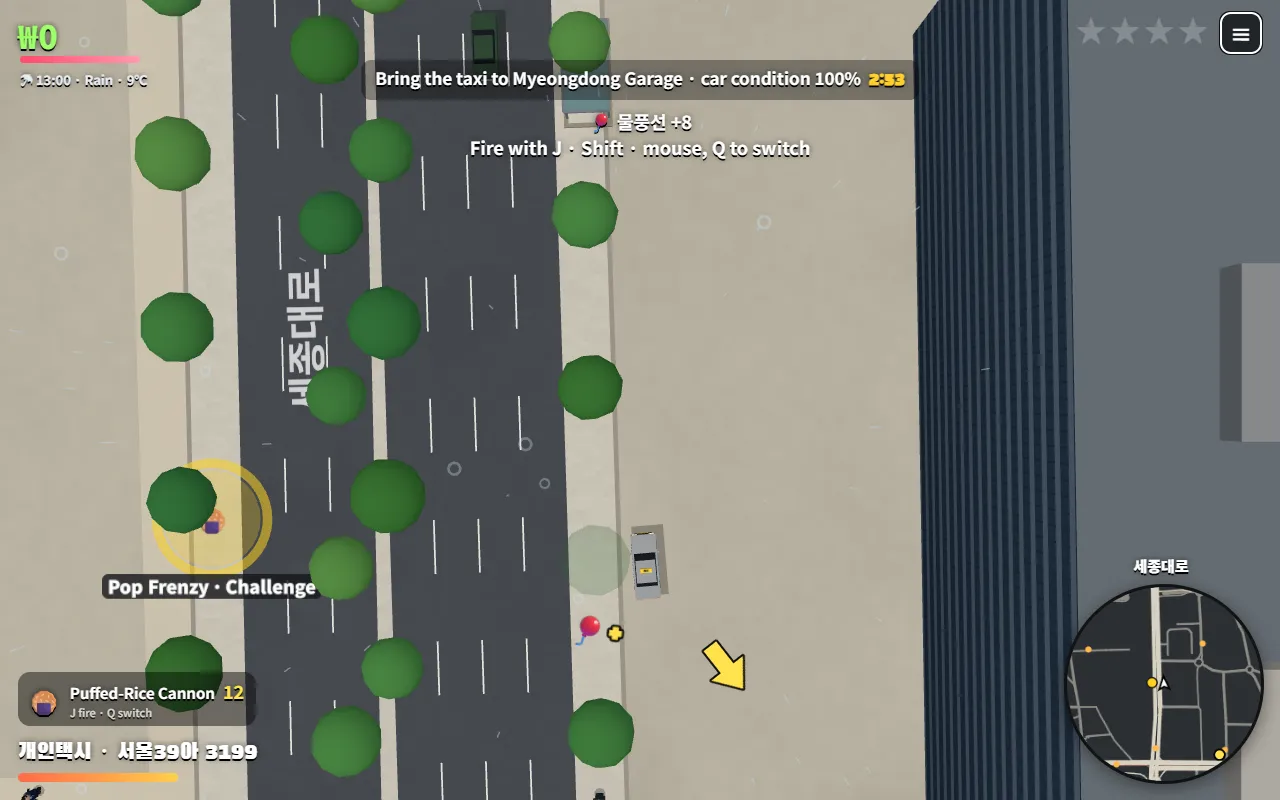
When you want a break from the story, Seoul has a few other things going on.
- Challenges: glowing markers on the map (big dots on the minimap) start a short minigame after a 3 · 2 · 1 countdown. Pop Frenzy is 60 seconds of unlimited puffed rice, Chase Survival has you last 90 seconds at three wanted stars, and Han River Balloon Targets has you throw water balloons at targets on the ground. You earn a bronze, silver or gold medal by score, plus prize money and weapons, and your best score is recorded. Challenges do not start while you are on a job.
- Shops: drive in and stop to open the menu. There is Myeongdong Garage for storing your cars, Paint Shops, Hoehyeon Used Cars with deals that change daily, and toy shops.
- Subway fast travel: walk into a subway entrance to jump to a distant station.
- Radio: press R in a car to change channels. When you drive a bus, as in one of the jobs, you hear stop announcements with real stop names.
7. What is real and what is not
The game's Seoul is built from real data, and the site names its sources on the title screen and the About page.
- Map: roads, buildings, the Han River and its bridges, parks and mountains come from OpenStreetMap data, credited as "© OpenStreetMap contributors (ODbL)". The cars, people, buildings, landmarks and signs are low-poly models drawn in code, not photos.
- Buses: Seoul city bus routes run along their real stops on the current timetable, and some routes follow the live positions of real buses. The data comes from Traffic Cast, which processes public data from the Seoul Open Data Plaza, Gyeonggi Data Dream and the Ministry of Land, Infrastructure and Transport's TAGO service.
- Time and weather: day and night follow the real height of the sun over Seoul, and rain and snow follow the current weather from the Korea Meteorological Administration. At night, windows and signs light up. If you would rather always play in daylight or at night, press the Time button in the ≡ menu: it switches from "auto (real)" to "☀ Time: always day" and "☾ Time: always night".
8. Saving, languages and sound
- Saving: there is no account. The game saves as you play, and "💾 Save now" in the ≡ menu saves on the spot. Next time, the title screen offers "Continue", "Pick chapter" and "New game". Your progress, money, garage and toy weapons stay in your browser only, so they do not move to another device, and a private window or clearing site data starts you from scratch.
- Languages: the game is available in Korean, English, Japanese, Simplified Chinese, Traditional Chinese and Spanish. Switch with "🌐 Language" in the ≡ menu or the language links at the bottom of the title screen.
- Sound: the game has voices, radio and sound effects. "🔈 Mute" in the ≡ menu or the M key turns it all off, and the pause screen lets you switch sound effects, radio and voices separately.
- Slow phone: the site suggests turning to landscape and closing other apps. The map loads only the area around you, so roads can appear a few seconds late at first.
If you like short browser games, Ppooing collects free casual games that also need no install.
Coming up
Next time: Storybook, where you can read free picture books from around the world in two languages side by side.
Frequently asked questions
Is Traffic Jack free? Do I need to install anything?
It is free, and there is no sign-up. It runs in the browser on a computer or a phone, so there is nothing to install.
Can I play it on a phone?
Yes. Press and drag on the left side of the screen to walk or drive, and use the buttons at the bottom right to get in, brake and fire. The site suggests turning the phone sideways for a wider view.
Does the game show real traffic in Seoul?
Partly. Seoul city bus routes run on their timetables and some routes follow the live positions of real buses, but the site notes that traffic is drawn from live positions and timetables and may differ from reality. For real traffic, use a transit map instead.
Where is my progress saved?
Only in your browser's storage. It is not sent to a server, so it does not carry over to another device, and it is lost if you play in a private window or clear the site data.