Utilizy
With or without spaces? How to count characters and words with Utilizy's Word Counter
How Utilizy's free Word Counter counts characters with and without spaces, words, sentences and bytes, what the target length measures, and why line breaks matter.
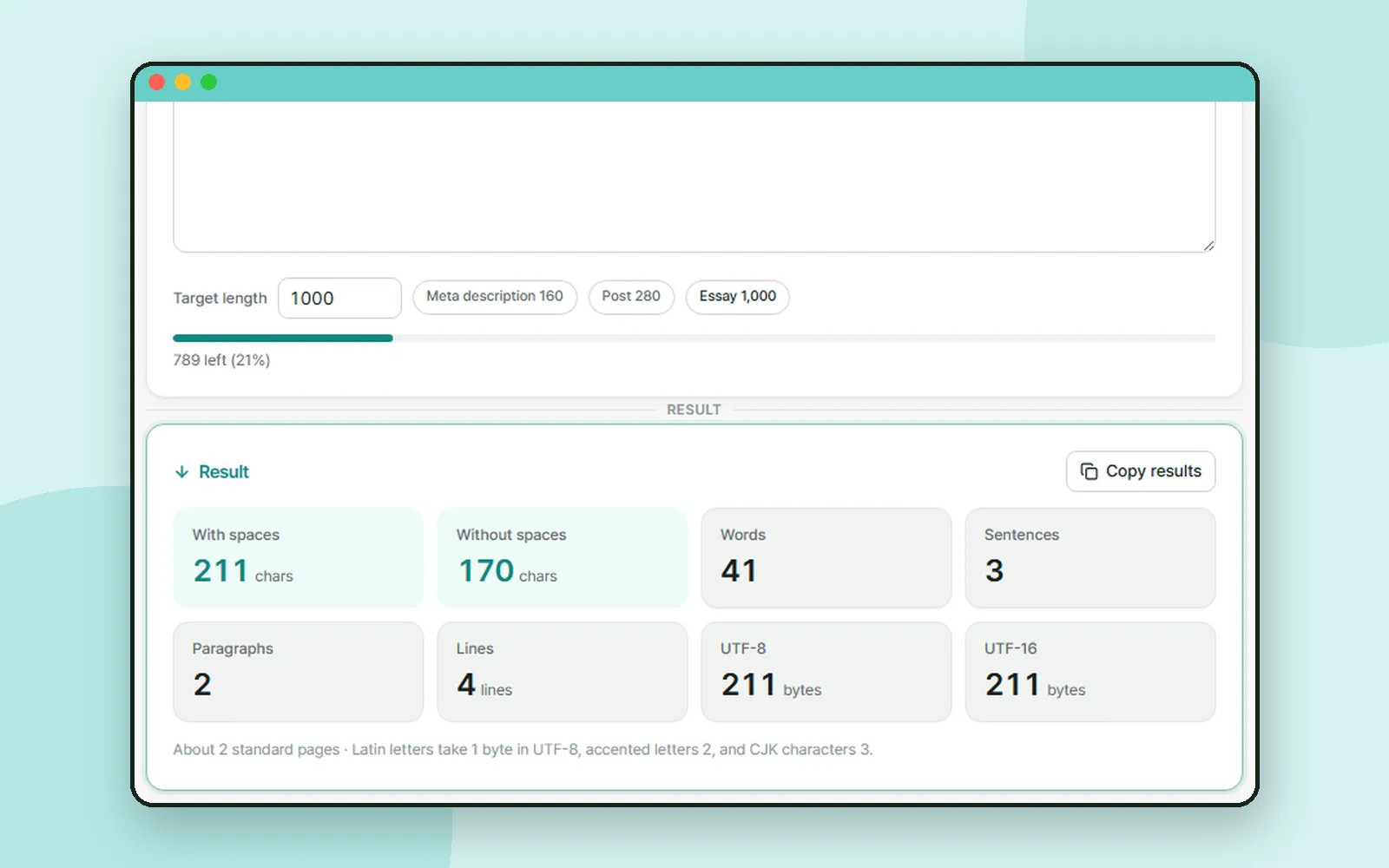
Application forms, essays, meta descriptions and social posts all come with a length limit. The catch is that "1,000 characters" can give you different numbers depending on whether spaces and line breaks count. In the Utilizy post we took a quick look at the Word Counter. This time we look at exactly what it counts and how, using a sample paragraph.
ZZXXCCVV siteUtilizy · Word CounterFree web tools that run right in your browserOpen1. Paste your text and set a target
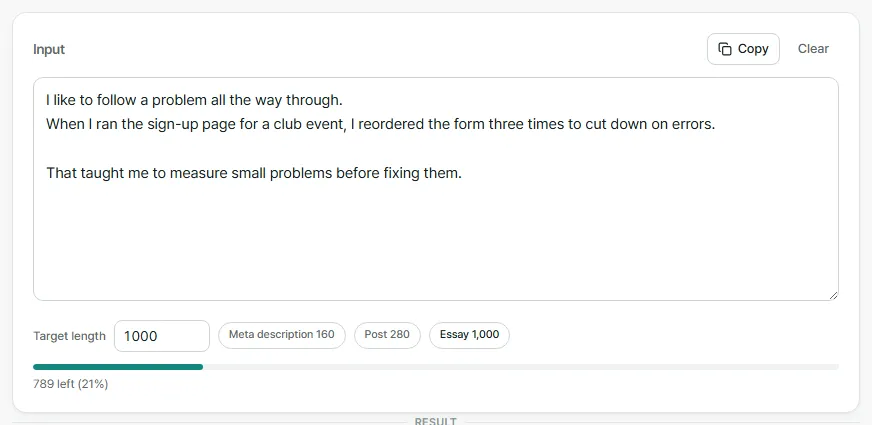
The presets are "Meta description 160", "Post 280" and "Essay 1,000". With the sample paragraph above, the Essay preset shows "789 left (21%)".
Even the Essay preset measures characters, not words. If your essay limit is in words, compare it with the Words count.
2. With spaces or without spaces
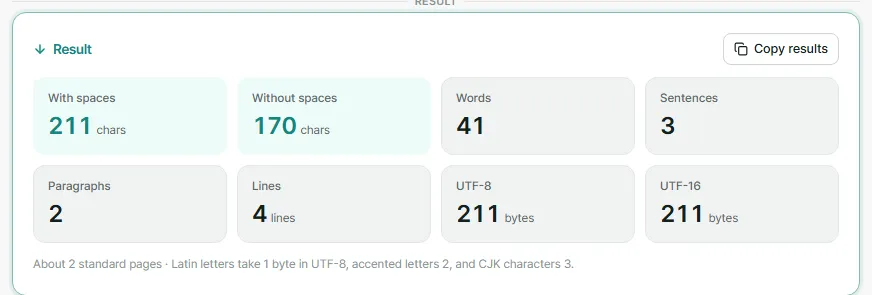
Most length limits refer to one of the two figures at the top of the results.
| Count | What it includes |
|---|---|
| With spaces | Every character, including spaces and line breaks |
| Without spaces | Every character except spaces, tabs and line breaks |
In the sample paragraph, the gap between 211 and 170 is 41: 38 spaces plus 3 line breaks.
Line breaks count as characters in the With spaces figure. If a form shows a slightly different number after you paste your text in, check whether it counts line breaks the same way.
3. Words, sentences, paragraphs and lines
| Count | How it is counted |
|---|---|
| Words | Each run of characters between spaces or line breaks. A hyphenated word counts as one |
| Sentences | Text that ends with a period, question mark or exclamation mark, including the Japanese 。!? |
| Paragraphs | Blocks of text separated by a blank line |
| Lines | Each line break starts a new line |
A paragraph needs a blank line, not just a line break. In the sample, the first two sentences are on separate lines with no blank line between them, so they count as one paragraph, and the last sentence after the blank line is the second.
4. When the limit is in bytes
Some places limit length in bytes rather than characters, such as database fields or text messages. The "UTF-8" figure shows how many bytes your text takes in UTF-8: one for each plain Latin letter, digit, space or line break, two for an accented letter, and three for a Japanese or Korean character.
The sample paragraph uses only plain letters and punctuation, so its UTF-8 size is the same as its character count, 211.
5. Copy the results, and your text stays on your device
Press "Copy results" to copy every count as plain text, one per line. It is handy for keeping a note of the length next to a draft.
All counting happens inside your browser, and nothing you type is sent to a server. The text is not saved either, so it is gone when you close the page. Keep your draft somewhere else first.
Coming up
Next time, we look at what the Korean ending -구요 means, with examples from Korean Out Loud.
Frequently asked questions
Do line breaks count as characters?
In the With spaces count, yes: each line break counts as one character, just like a space. The Without spaces count leaves out spaces, tabs and line breaks.
Does the target length count words or characters?
Characters, including spaces. Every preset measures characters, so if your limit is in words, compare it with the Words count instead.
Why can the byte count be higher than the character count?
In UTF-8, plain Latin letters and digits take one byte, accented letters take two, and Japanese or Korean characters take three. The byte count only matters when a system states its limit in bytes.
Is my text uploaded or saved?
No. Everything is counted in your browser and nothing is sent to a server. The text is not kept after you close the page.